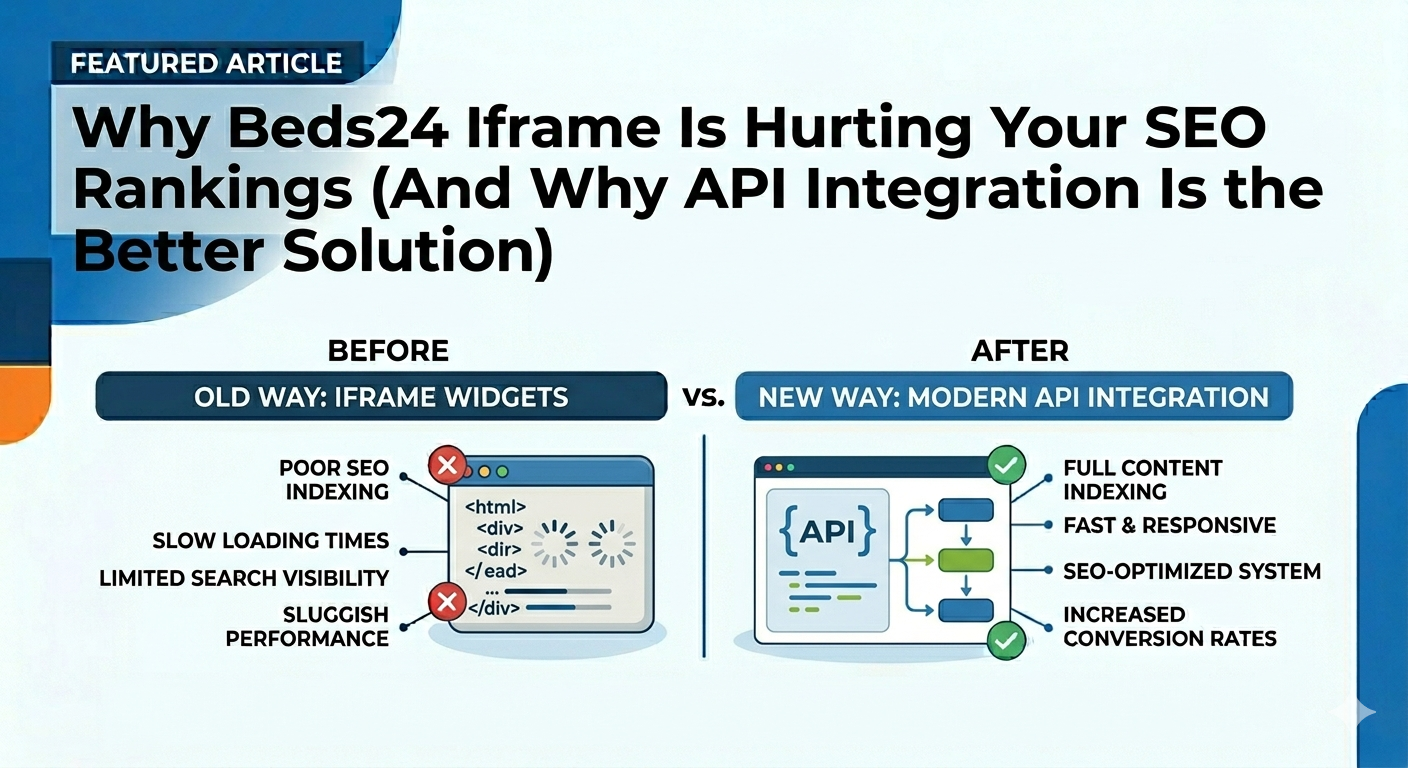
Why Beds24 Iframe Is Hurting Your SEO Rankings (And Why API Integration Is the Better Solution)
In 2026, hospitality businesses can no longer rely on outdated iframe booking systems if they want to compete in Google search results.
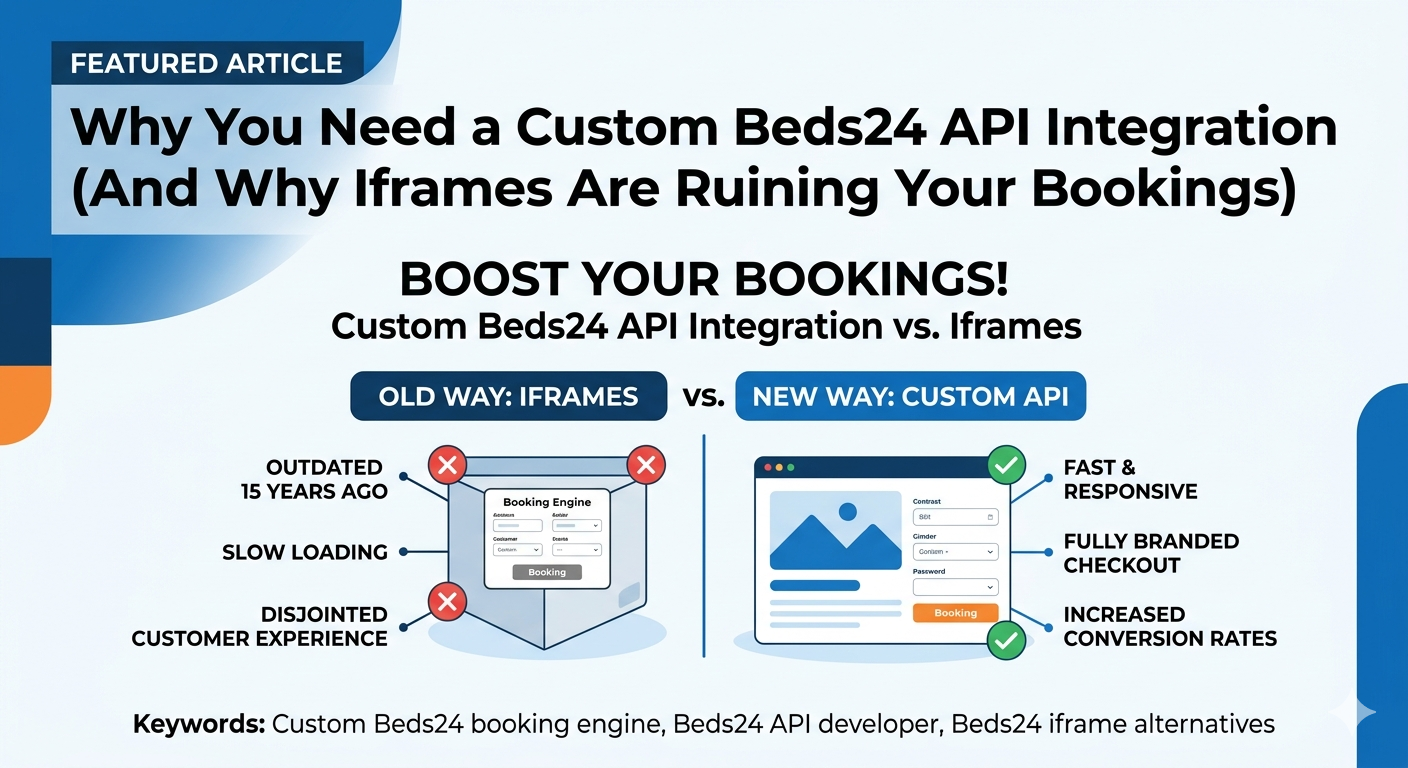
Many hotels, apartments, villas, resorts, and vacation rental businesses use the standard Beds24 iframe booking widget because it offers a quick setup process. While iframe integrations may appear convenient initially, they often create serious long-term SEO, performance, and conversion limitations.
Property owners commonly experience:
- Low Google rankings
- Poor organic traffic
- Weak local SEO visibility
- Low direct bookings
- Dependence on OTAs like Booking.com & Airbnb
- Poor Core Web Vitals performance
- Non-indexable room pages
In many cases, the issue is not the property or website itself — the problem is the iframe architecture.
A native Beds24 API integration for WordPress solves these limitations by replacing the iframe with a fully integrated booking engine that lives directly inside your website.
What Is the Standard Beds24 Iframe?
The default Beds24 setup usually embeds booking functionality using an iframe:
<iframe src="https://beds24.com/booking2.php?propid=12345"></iframe>
The iframe loads booking functionality externally, including:
- Availability calendars
- Room pricing
- Booking forms
- Reservation flows
- Property availability
Although visitors can interact with the widget visually, search engines often treat iframe content separately from the main website.
This creates major SEO limitations.
Why Iframes Hurt SEO
1. Google Cannot Properly Index Room Content
Search engines primarily analyze the actual HTML structure of your website.
When important booking content exists inside an iframe:
- Room content may not index properly
- Availability data becomes invisible
- Property descriptions lose SEO value
- Pricing relevance weakens
- Long-tail keyword opportunities disappear
This prevents your website from ranking effectively for searches such as:
- Luxury villa in Dubai Marina
- Beachfront apartment in Malta
- 2 bedroom apartment near metro station
- Boutique hotel with sea view
- Holiday rental near city center
Instead of ranking detailed property pages, Google often sees only generic homepage content.
2. Weak Local SEO Signals
Modern hospitality SEO depends heavily on:
- Location-specific content
- Property schema
- Room-level data
- Semantic HTML structure
- Geo-targeted keywords
Iframe systems isolate much of this information away from your actual website structure.
This weakens:
- Google Maps visibility
- Local hotel search rankings
- Destination SEO
- Regional keyword targeting
- Organic visibility for travel searches
3. Poor Structured Data & Schema Support
Google relies heavily on structured data to understand:
- Hotels
- Rooms
- Offers
- Amenities
- Reviews
- Availability
- Pricing
Iframe systems make advanced schema implementation difficult.
This affects:
- Rich snippets
- Hotel search enhancements
- Booking visibility
- CTR improvements
- Search appearance quality
4. Slow Core Web Vitals Performance
Iframe booking systems often load:
- External JavaScript
- Third-party CSS
- Remote calendars
- Additional API requests
- External assets
This negatively impacts:
- Largest Contentful Paint (LCP)
- Interaction to Next Paint (INP)
- Cumulative Layout Shift (CLS)
- Mobile performance
Google increasingly prioritizes fast websites in search rankings.
5. Poor Mobile Experience
Many iframe widgets create mobile usability problems:
- Double scrolling
- Broken layouts
- Unresponsive calendars
- Cut-off forms
- Poor touch optimization
This increases:
- Bounce rate
- User frustration
- Booking abandonment
- SEO performance loss
6. Limited Design & Content Flexibility
Hospitality businesses need:
- SEO landing pages
- Custom room layouts
- Destination pages
- Internal linking
- Multilingual SEO
- Custom booking flows
Iframe systems severely limit:
- Customization
- Branding consistency
- SEO architecture
- Conversion optimization
The Better Solution: Native Beds24 API Integration
Instead of embedding booking functionality through an iframe, a custom API integration connects WordPress directly with Beds24 API V2.
This creates a fully native booking experience where:
- All room pages become real WordPress pages
- Booking functionality lives inside the website
- Availability updates in real time
- Content becomes fully indexable
- SEO optimization becomes possible
Beds24 continues working as the backend channel manager while WordPress becomes the frontend booking platform.
How the API-Based Beds24 Integration Works
The custom system synchronizes:
- Properties
- Room types
- Availability calendars
- Seasonal pricing
- Reservation details
- Guest information
- Invoices
- Restrictions & rates
Everything displays directly inside WordPress without iframes.
SEO Benefits of Native Beds24 API Integration
Fully Indexable Property Pages
Every room becomes a fully optimized WordPress page with:
- SEO titles
- Meta descriptions
- Schema markup
- Internal linking
- Image optimization
- Searchable content
Advanced Schema Markup Support
The native integration supports:
- Hotel Schema
- Room Schema
- Offer Schema
- Review Schema
- FAQ Schema
- Breadcrumb Schema
This improves:
- Rich snippets
- CTR
- Search visibility
- Google understanding
Faster Performance & Better Core Web Vitals
Because booking functionality is built natively:
- Fewer external scripts load
- Pages render faster
- Mobile speed improves
- Core Web Vitals score higher
Custom Elementor Booking Widgets & Shortcodes
Unlike iframe systems, the custom API integration can provide:
- Elementor booking widgets
- Custom WordPress shortcodes
- Theme-independent booking modules
- Flexible booking layouts
- Builder compatibility
This allows businesses to design booking pages using:
- Elementor
- WPBakery
- Gutenberg
- Bricks Builder
- Custom themes
Example shortcode:
[beds24_booking property_id="123" room_id="456"]
This makes the booking engine fully customizable inside any WordPress layout.
Stripe Payments & Partial Deposits
The native system can support:
- Stripe integration
- Deposit payments
- Partial advance payments
- Secure checkout
- Custom invoice workflows
All bookings automatically synchronize back into Beds24.
Two-Way Booking Synchronization
Reservations created on the website automatically:
- Update Beds24 availability
- Generate invoices
- Sync calendars
- Store guest data
- Update OTA inventory
This maintains Beds24 as the central property management backend.
Sample API Integration Code (PHP)
$response = wp_remote_get(
'https://api.beds24.com/v2/properties',
[
'headers' => [
'token' => 'YOUR_BEDS24_API_TOKEN'
]
]
);
$data = json_decode(
wp_remote_retrieve_body($response),
true
);
foreach($data['properties'] as $property){
$post_id = wp_insert_post([
'post_title' => $property['name'],
'post_type' => 'property',
'post_status' => 'publish'
]);
update_post_meta(
$post_id,
'beds24_property_id',
$property['id']
);
}
Supported WordPress Themes & Builders
- Houzez
- Homey
- WP Residence
- MyHome
- Custom themes
- Elementor-based websites
Why This Architecture Wins Long-Term
| Capability | Iframe | API Integration |
|---|---|---|
| SEO Indexing | No | Yes |
| Elementor Support | Limited | Full |
| Custom Shortcodes | No | Yes |
| Performance | Slow | Fast |
| Schema Support | Limited | Advanced |
| Booking Flexibility | Restricted | Unlimited |
| Brand Control | Low | Full |
Why Work With Me?
I specialize in building custom Beds24 API integrations for WordPress with:
- Native booking systems
- SEO-first architecture
- Elementor booking widgets
- Custom shortcodes
- Real-time synchronization
- Stripe integration
- Performance optimization
With 10+ years of experience and 1000+ API integrations delivered, I focus on scalable long-term booking systems instead of temporary iframe solutions.
Frequently Asked Questions
Q: Can Beds24 work without iframe?
Yes. Beds24 API V2 supports fully native WordPress integrations.
Q: Is API integration better for SEO?
Yes. Native pages become fully indexable and schema-ready.
Q: Can I use Elementor with Beds24 API integration?
Yes. Custom Elementor widgets and shortcodes can be created.
Q: Can bookings sync back to Beds24 automatically?
Yes. Reservations, invoices, and availability can sync in real time.
Ready to Replace the Beds24 Iframe?
If you want a real booking platform instead of an embedded widget, API integration is the correct long-term solution.
📩 Contact me on Upwork for custom Beds24 API integration development.
🎯 Order on Fiverr for fixed-price Beds24 WordPress integration services.
Swedish & Nordic Tire Wholesale API Integrations for WooCommerce, Shopify & Custom eCommerce Platforms
In 2026, automotive eCommerce businesses are no longer managing tire and wheel inventory manually. Modern retailers, workshops, and automotive marketplaces rely on real-time B2B API integrations to synchronize products, stock levels, fitment data, pricing, and orders directly from wholesalers into their websites and ERP systems.
Across Sweden and the Nordic region, major distributors provide structured REST APIs, XML feeds, SOAP services, EDI connections, and warehouse synchronization systems designed for high-volume automotive commerce.
If you are searching for a developer for Swedish tire wholesale API integration, WooCommerce tire sync, Shopify automotive automation, or Nordic wheel fitment APIs, this guide explains how the ecosystem works and how modern businesses automate everything from inventory imports to real-time order synchronization.
Why Automotive Businesses Need API Automation
Manual product management no longer scales for automotive businesses handling:
- Thousands of SKUs
- Rapid stock changes
- Seasonal tire inventory spikes
- Complex fitment compatibility
- Dealer-specific pricing
- Multiple warehouses
- Multi-channel marketplace selling
Without automation, businesses often face:
- Overselling inventory
- Outdated stock quantities
- Manual CSV imports
- Incorrect vehicle compatibility
- Slow listing updates
- Poor SEO optimization
- Lost sales opportunities
This is why automotive companies increasingly invest in custom middleware, synchronization engines, and AI-powered catalog automation systems.
Major Swedish & Nordic Wholesale APIs Developers Integrate
ABS Wheels API Integration (Sweden)
ABS Wheels is one of Sweden’s largest custom wheel and rim distributors.
Their B2B infrastructure supports:
- REST/XML inventory APIs
- Fitment verification
- Warehouse stock synchronization
- Dealer pricing structures
- Wheel compatibility lookups
- Live inventory automation
Developers commonly integrate ABS Wheels into:
- WooCommerce automotive stores
- Shopify tire shops
- Custom wheel configurators
- B2B ordering portals
- Marketplace synchronization systems
Amring API Integration (Sweden)
Amring, part of the Van den Ban ecosystem, provides high-volume tire distribution across Sweden.
Their systems support:
- Real-time stock APIs
- Dealer pricing matrixes
- Instant order processing
- Multi-warehouse inventory lookup
- REST/SOAP integrations
- B2B synchronization workflows
Amring integrations are commonly used for:
- Tire eCommerce automation
- Wholesale dealer platforms
- Dropshipping systems
- Automated inventory synchronization
- Shopify tire inventory sync
NDI Group / Interpneus API Integration
NDI Group is one of the largest tire distributors operating across Sweden, Denmark, Norway, and Finland.
Their infrastructure includes:
- SOAP APIs
- REST endpoints
- XML inventory feeds
- Multi-regional stock hubs
- EU label data
- Tire specification databases
Developers often build:
- Vehicle-based tire search systems
- Real-time checkout validation
- WooCommerce tire configurators
- Automated price synchronization
- Custom Nordic automotive marketplaces
Gripen Wheels API Integration
Gripen Wheels specializes in:
- Commercial tires
- Agricultural wheels
- OTR machinery tires
- Industrial wheel systems
Their API systems support:
- Heavy-duty wheel specifications
- Real-time pricing
- Industrial fitment structures
- Bulk inventory synchronization
- Commercial vehicle catalog feeds
SD-Köping / Scandinavian Dirt Bike API
This specialized supplier focuses on:
- Motorcycle tires
- ATV components
- Off-road products
- Performance tire categories
Integrations commonly involve:
- Compound-based filtering
- Terrain-specific categorization
- Multi-attribute synchronization
- WooCommerce motorcycle stores
- Shopify powersports automation
Global Tire Suppliers with Nordic API Infrastructure
Ihle Web Service API Integration
Ihle Baden-Baden, owned by Michelin, operates highly optimized European automotive supply infrastructure.
Their API capabilities include:
- REST APIs
- OpenAPI/Swagger documentation
- Sub-second inventory lookups
- Warehouse synchronization
- Real-time ordering
- Tire matching systems
This makes Ihle integrations ideal for:
- Enterprise automotive platforms
- High-volume eCommerce stores
- Real-time marketplace sync
- Custom SaaS automotive solutions
Bohnenkamp API Integration
Bohnenkamp provides:
- Bulk XML feeds
- CSV/SFTP synchronization
- REST API services
- Commercial tire catalogs
- Agricultural equipment integrations
Developers often build middleware systems to:
- Normalize inventory data
- Synchronize prices
- Map product attributes
- Automate category assignment
- Handle real-time order posting
Vehicle Fitment & Registration APIs (Critical for Tire eCommerce)
Wheel-Size.com API Integration
Wheel-Size.com provides one of the most detailed fitment databases available globally.
Developers use it to build:
- Search by vehicle systems
- Bolt pattern validation
- Tire/rim compatibility engines
- Vehicle fitment automation
- Wheel configurators
The API provides:
- Vehicle make/model/year
- Offset calculations
- Bolt patterns
- Tire dimensions
- Rim specifications
- Modification support
Swedish Registration APIs (Transportstyrelsen Aggregators)
Swedish automotive platforms commonly use registration-number APIs through providers like:
- Apiverket
- Biluppgifter
- Transportstyrelsen aggregators
These APIs allow:
- License plate lookup
- Vehicle identification
- Tire dimension retrieval
- Original wheel specification detection
- Vehicle compatibility automation
This powers the popular:
“Search Tires By Registration Number” functionality.
Supported eCommerce & Marketplace Platforms
Modern synchronization engines connect wholesale APIs into:
- WooCommerce
- Shopify
- Magento
- BigCommerce
- Custom Laravel platforms
- Headless commerce systems
- Mobile applications
Marketplace integrations may include:
- eBay Motors
- Amazon
- Allegro
- Trade Me
- Facebook Marketplace
- Google Merchant Center
AI-Powered Product Enrichment for Automotive SEO
Raw B2B tire data is rarely optimized for online sales.
Modern systems now use AI technologies like:
- ChatGPT
- Claude
- Gemini
to automatically:
- Rewrite product titles
- Generate SEO descriptions
- Create metadata
- Improve product attributes
- Generate alt text for images
- Enhance category structures
- Optimize schema markup
Example:
Instead of:
MICHELIN PILOT SPORT 5 245/40R18 XL
AI enrichment can generate:
Michelin Pilot Sport 5 245/40R18 XL – High Performance Summer Tire for BMW, Audi & Mercedes
This dramatically improves:
- SEO rankings
- Marketplace visibility
- Buyer trust
- CTR performance
- Search discoverability
Real-Time Inventory Synchronization Architecture
Modern automotive middleware systems typically work like this:
- Fetch inventory from supplier APIs
- Normalize data into a unified schema
- Apply AI enrichment
- Map categories & fitment
- Push listings to marketplaces & stores
- Sync inventory quantities in real time
- Send orders back to suppliers automatically
Sample API Integration Workflow (PHP)
function sync_supplier_inventory() {
$response = wp_remote_get('https://supplier-api.com/products');
if (is_wp_error($response)) {
return;
}
$products = json_decode(
wp_remote_retrieve_body($response),
true
);
foreach ($products as $product) {
$optimized_title = ai_generate_title($product);
$post_id = wp_insert_post([
'post_title' => $optimized_title,
'post_type' => 'product',
'post_status' => 'publish'
]);
update_post_meta($post_id, 'sku', $product['sku']);
update_post_meta($post_id, 'stock', $product['stock']);
update_post_meta($post_id, 'price', $product['price']);
}
}
Why Queue Systems Matter for Large Automotive Imports
Automotive inventory feeds can contain:
- 100,000+ SKUs
- Large image libraries
- High-frequency stock updates
- Complex fitment relationships
Professional systems use:
- Laravel Queues
- Redis workers
- Chunk processing
- Webhook pipelines
- Background processing
This prevents:
- Server timeouts
- Memory overload
- Website slowdowns
- Inventory corruption
Who Needs This Type of Integration?
- Tire wholesalers
- Wheel distributors
- Automotive marketplaces
- B2B automotive suppliers
- WooCommerce automotive stores
- Shopify tire retailers
- Dropshipping automotive businesses
- Custom automotive SaaS startups
Why Work With Me?
I specialize in:
- Automotive API integrations
- WooCommerce synchronization systems
- Shopify automotive automation
- Real-time inventory middleware
- Vehicle fitment systems
- AI-powered catalog enrichment
- Marketplace synchronization
- High-volume inventory processing
With extensive experience in:
- REST APIs
- SOAP/XML integrations
- Laravel middleware architecture
- WordPress & WooCommerce automation
- Shopify API development
- Marketplace synchronization systems
I help automotive businesses build scalable infrastructure instead of relying on fragile manual workflows.
Frequently Asked Questions
Q: Can you integrate Swedish tire wholesalers into WooCommerce?
Yes. APIs, XML feeds, SOAP services, and CSV systems can all be synchronized into WooCommerce.
Q: Can inventory update in real time?
Yes. Real-time stock synchronization and scheduled background syncing are both supported.
Q: Can fitment data be automated?
Yes. Vehicle compatibility APIs and wheel fitment databases can be integrated directly.
Q: Can AI improve automotive product SEO?
Yes. AI can rewrite titles, descriptions, metadata, and improve category structures automatically.
Q: Can orders be sent back to suppliers automatically?
Yes. Two-way synchronization can push orders back into supplier systems or ERP workflows.
Ready to Build a Real-Time Automotive Integration System?
If you need a developer for:
- Swedish tire API integrations
- WooCommerce automotive synchronization
- Shopify tire inventory automation
- Vehicle fitment systems
- Marketplace synchronization
- AI-powered product enrichment
- Custom automotive middleware
📩 Contact me on Upwork to discuss your project.
🎯 Order on Fiverr for custom API integration and automotive synchronization services.
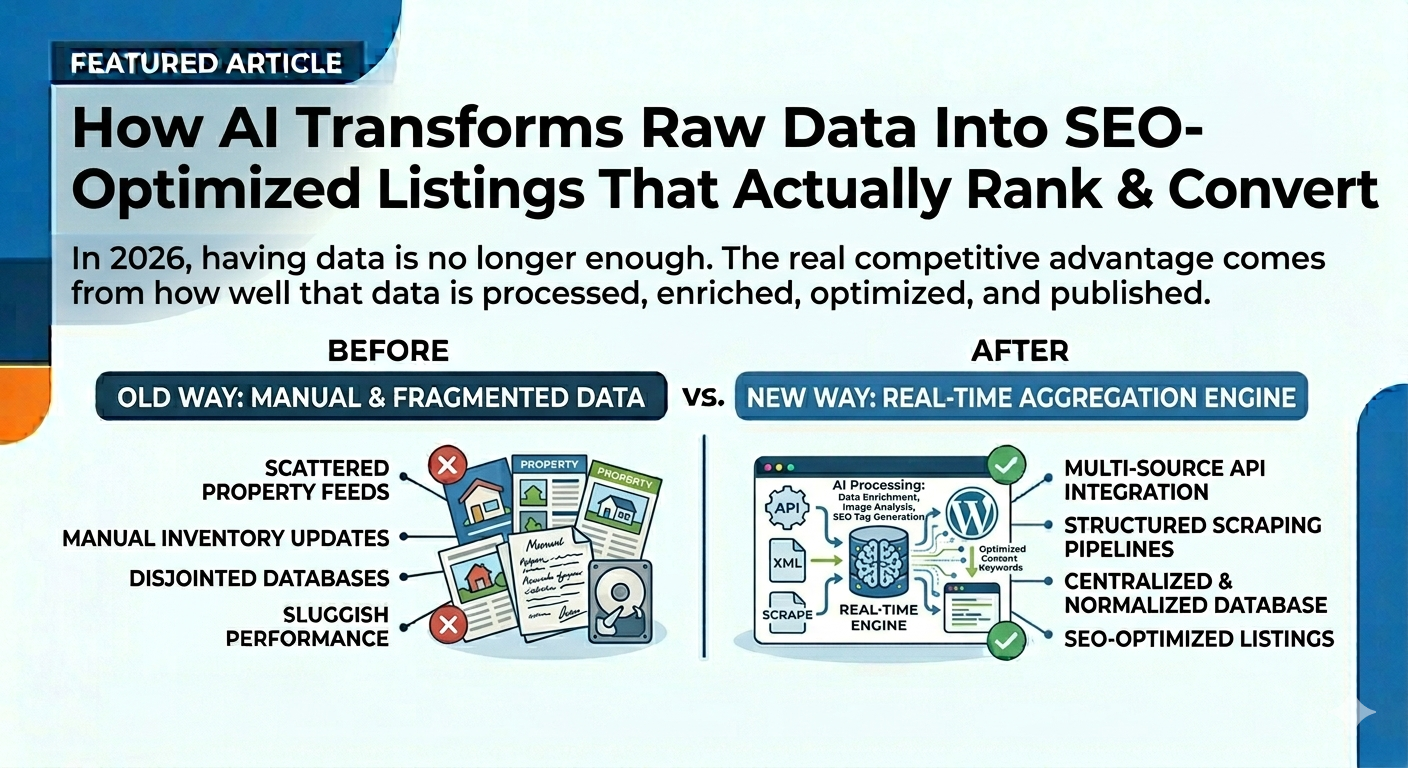
How AI Transforms Raw Data Into SEO-Optimized Listings That Actually Rank & Convert
In 2026, having data is no longer enough.
The real competitive advantage comes from how well that data is processed, enriched, optimized, and published.
Across industries like:
- real estate
- automotive parts
- ecommerce
- marketplaces
- classified platforms
- travel & hospitality
most businesses already have access to massive amounts of inventory data through APIs, XML feeds, CRMs, spreadsheets, or supplier systems.
But there is one major problem:
Raw data is terrible for SEO.
And businesses that publish raw feed content without enrichment are losing rankings, visibility, and conversions to competitors using AI-powered optimization workflows.
The Hidden SEO Problem With Raw Imported Data
Most APIs, XML feeds, and CRM exports are designed for data exchange — not search engine optimization.
That means imported listings often contain:
- generic titles
- duplicate descriptions
- missing keywords
- poor formatting
- technical abbreviations
- thin content
- missing metadata
Examples of raw imported content often look like this:
| Industry | Raw Imported Data |
|---|---|
| Real Estate | Apartment Sale NewYork 2 Bed Bath Train |
| Auto Parts | ALT ASM 2AZFE 08 CAM |
| Hospitality | STD RM DBL BRKFST |
To humans, this looks incomplete.
To Google, it looks even worse.
Why Publishing Raw Feed Data Hurts SEO
Most businesses using direct feed imports or generic sync plugins unknowingly create:
- duplicate content
- low-quality pages
- keyword-poor listings
- thin descriptions
- poor click-through rates
- weak internal relevance
As a result:
- pages struggle to rank
- buyers skip listings
- Google sees low-value content
- marketplace visibility decreases
This is one of the biggest hidden SEO problems in automated import systems.
The Difference Between “Imported Data” vs “AI-Enriched Data”
Modern AI-powered import systems do far more than simply sync data.
They transform raw inventory into:
- search-optimized listings
- conversion-focused content
- structured SEO pages
- marketplace-friendly product data
This process is called AI enrichment.
Example: Real Estate SEO Transformation
Raw Imported Property Title
Apartment Sale NewYork 2 Bed Bath Train
AI-Optimized SEO Title
Luxury 2 Bedroom Apartment for Sale in Manhattan New York Near Subway Station
AI Improvements
- location optimization
- buyer intent targeting
- natural language formatting
- high-volume SEO keywords
- improved readability
The result is a listing that both Google and buyers understand instantly.
Example: Automotive Parts SEO Transformation
Raw Inventory Data
ALT ASM 2AZFE 08 CAM
AI-Rewritten Product Listing
2008 Toyota Camry 2.4L Alternator OEM Genuine Tested Used Auto Part
AI Enhancements Include
- vehicle year extraction
- make & model formatting
- part identification
- SEO keyword enrichment
- buyer-friendly readability
- marketplace optimization
This dramatically improves:
- search discoverability
- click-through rates
- marketplace visibility
- buyer trust
How AI Improves SEO During Auto Sync Imports
Modern import systems no longer simply “sync data.”
Instead, they process data through multiple AI enrichment layers before publishing.
Step 1: Fetch Raw Data
Import data from:
- APIs
- XML feeds
- JSON endpoints
- CRMs
- CSV files
- ERPs
- supplier systems
Step 2: Normalize Structure
Different feeds use different formats.
The system standardizes:
- titles
- attributes
- categories
- location data
- vehicle data
- pricing structures
Step 3: AI Rewriting & SEO Enrichment
AI models like:
- ChatGPT
- Claude
- Gemini
can automatically generate:
- SEO titles
- subtitles
- meta descriptions
- long-form descriptions
- keyword enrichment
- structured formatting
- localized content
Step 4: Media SEO Optimization
AI can also optimize:
- image ALT tags
- captions
- image filenames
- OpenGraph metadata
- schema markup
This improves both:
- image SEO
- accessibility
Step 5: Publish Across Multiple Platforms
Optimized content can then be pushed automatically to:
- WordPress
- WooCommerce
- Shopify
- Houzez
- WP Residence
- eBay Motors
- Trade Me
- Allegro
- custom websites
- marketplaces
Why AI-Optimized Listings Outperform Raw Feed Listings
| Raw Imported Listings | AI-Enriched Listings |
|---|---|
| Generic titles | SEO-focused titles |
| Thin descriptions | Rich buyer-focused content |
| Low readability | Natural language optimization |
| Poor indexing | Structured SEO pages |
| Weak CTR | Higher engagement potential |
Businesses using AI enrichment gain a major advantage over competitors simply importing data “as-is.”
Industries Benefiting Most From AI SEO Enrichment
Real Estate
- property feed imports
- CRM listing synchronization
- location-based SEO pages
Automotive Parts
- YMM fitment optimization
- OEM part rewriting
- marketplace listing automation
Ecommerce
- supplier feed optimization
- product enrichment
- AI-generated descriptions
Hospitality
- hotel room descriptions
- Beds24 property optimization
- booking SEO improvements
The Future of SEO Is AI-Powered Data Enrichment
Search engines increasingly reward:
- structured content
- high-quality descriptions
- semantic relevance
- user-focused readability
- fresh optimized content
Businesses relying on raw imports will continue struggling against competitors using AI-enhanced workflows.
The future is not manual SEO writing.
The future is automated AI-powered SEO enrichment at scale.
Why Work With Me?
I specialize in building AI-powered import & sync systems that transform raw feed data into SEO-optimized, conversion-focused listings automatically.
With 10+ years of API integration experience, I help businesses:
- import data from any source
- normalize large datasets
- rewrite listings using AI
- improve SEO automatically
- sync inventory in real time
- publish optimized listings across platforms
Supported systems include:
- WordPress
- WooCommerce
- Shopify
- Houzez
- Homey
- WP Residence
- custom SaaS platforms
Frequently Asked Questions (FAQ)
Q: Can AI automatically rewrite imported listings for SEO?
Yes. AI models can optimize titles, descriptions, metadata, and structured content automatically.
Q: Does AI enrichment work for property listings?
Yes. AI can improve real estate titles, amenities, descriptions, and location-based SEO content.
Q: Can AI improve auto parts inventory data?
Yes. AI can process YMM fitment data, OEM references, and raw inventory into marketplace-friendly listings.
Q: Can this work with XML, API, CSV, or CRM feeds?
Yes. AI enrichment can be integrated into almost any import or synchronization workflow.
Q: Does this help improve Google rankings?
Yes. Better content structure, keyword optimization, and enriched listings improve SEO performance significantly.
Ready to Transform Raw Data Into SEO-Optimized Listings?
Your data already has value.
The real advantage comes from how intelligently that data is processed, enriched, and published.
AI-powered SEO automation helps businesses outperform competitors still relying on raw imports and manual workflows.
📩 Contact me on Upwork to build an AI-powered import & SEO enrichment system.
🎯 Order on Fiverr for API integrations, AI rewriting systems, feed automation, and real-time synchronization workflows.
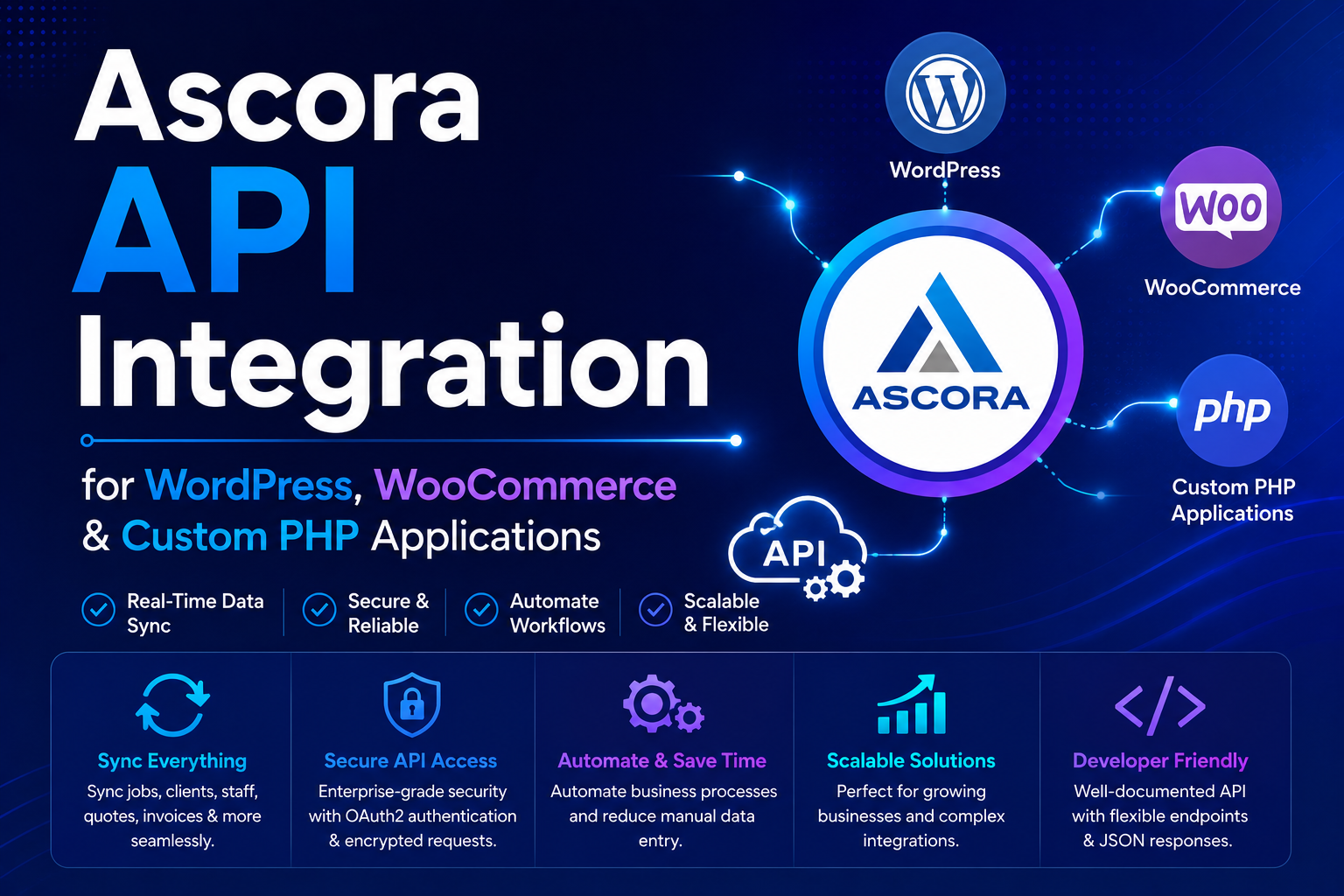
Ascora API Integration for WordPress, WooCommerce & Custom PHP Applications
In 2026, trade and field service businesses are increasingly automating their customer enquiry workflows, job management systems, and CRM synchronization using real-time API integrations instead of manual administration processes.
The Ascora API provides a powerful infrastructure for integrating websites, mobile applications, WordPress forms, and custom business systems directly with the Ascora CRM platform.
If you are searching for:
- Ascora API integration
- WordPress Ascora synchronization
- Contact Form 7 Ascora integration
- Custom PHP Ascora development
- WooCommerce Ascora automation
- Trade business CRM synchronization
This guide explains how the Ascora API works and how developers can automate enquiries, attachments, and customer workflows directly into the Ascora platform.
What Is Ascora?
Ascora is a trade and field-service business management platform designed to help companies streamline operations, automate workflows, and manage customer enquiries more efficiently.
Ascora is commonly used by:
- Electrical contractors
- HVAC businesses
- Plumbing companies
- Cleaning services
- Construction companies
- Maintenance contractors
- Trade service providers
The platform helps businesses automate:
- Enquiry management
- Job scheduling
- Customer communication
- File attachments
- Technician workflows
- CRM processes
- Operational administration
For more information, you can visit the official Ascora website:
Ascora API Endpoints Covered in This Guide
- API Authorization
- Create Enquiry
- Upload Attachments
Why Businesses Integrate with the Ascora API
Manual enquiry processing slows down operations and creates unnecessary administration overhead.
Modern businesses use API integrations to automate:
- Website lead submissions
- Customer enquiries
- Document uploads
- CRM synchronization
- Job creation workflows
- Real-time customer communication
- WordPress form automation
This improves:
- Response times
- Operational efficiency
- Lead management
- Workflow automation
- Data accuracy
- Customer experience
1. Ascora API Authorization
The first step in the integration process is validating the Ascora API token.
The API token establishes secure communication between your website or application and the Ascora platform.
Authorization validation ensures:
- Authenticated API requests
- Secure data transmission
- Valid API permissions
- Reliable synchronization workflows
- Error prevention during requests
Ascora API Authorization Example (PHP cURL)
$curl = curl_init();
curl_setopt_array($curl, array(
CURLOPT_URL => 'https://api.ascora.com.au/Enquiry',
CURLOPT_RETURNTRANSFER => true,
CURLOPT_ENCODING => '',
CURLOPT_MAXREDIRS => 10,
CURLOPT_TIMEOUT => 0,
CURLOPT_FOLLOWLOCATION => true,
CURLOPT_HTTP_VERSION => CURL_HTTP_VERSION_1_1,
CURLOPT_CUSTOMREQUEST => 'POST',
CURLOPT_POSTFIELDS => '',
CURLOPT_HTTPHEADER => array(
'Auth: {your ascora api token here}',
'Content-Type: application/json'
),
));
$response = curl_exec($curl);
curl_close($curl);
If the API token is valid, Ascora will return a successful response. Invalid or expired tokens will return an authentication error.
2. Creating Enquiries in Ascora via API
After successful authorization, developers can create enquiries directly inside the Ascora CRM using API requests.
This allows websites and applications to automatically push customer enquiries into Ascora in real time.
Common integration use cases include:
- Website contact forms
- Quote request systems
- Service booking forms
- Lead capture pages
- WooCommerce checkout workflows
- Custom PHP applications
- WordPress automation systems
Ascora Create Enquiry API Request
$curl = curl_init();
curl_setopt_array($curl, array(
CURLOPT_URL => 'https://api.ascora.com.au/Enquiry',
CURLOPT_RETURNTRANSFER => true,
CURLOPT_ENCODING => '',
CURLOPT_MAXREDIRS => 10,
CURLOPT_TIMEOUT => 0,
CURLOPT_FOLLOWLOCATION => true,
CURLOPT_HTTP_VERSION => CURL_HTTP_VERSION_1_1,
CURLOPT_CUSTOMREQUEST => 'POST',
CURLOPT_POSTFIELDS => json_encode($data),
CURLOPT_HTTPHEADER => array(
'Auth: {your ascora api token here}',
'Content-Type: application/json'
),
));
$response = curl_exec($curl);
curl_close($curl);
The $data variable contains the enquiry details that will be sent to Ascora.
Typical enquiry fields include:
- Customer name
- Email address
- Phone number
- Service type
- Job description
- Address information
- Custom form fields
Once submitted successfully, the enquiry becomes immediately available inside the Ascora dashboard.
3. Uploading Attachments to Ascora Enquiries
The Ascora API also supports file uploads and attachment synchronization.
This allows businesses to attach:
- Images
- PDF files
- Technical documents
- Inspection reports
- Customer-uploaded photos
- Supporting attachments
Attachments can be uploaded directly to an existing enquiry using the enquiry entity ID returned from the previous API response.
Ascora Attachment Upload Example
$ent_id = $_enq['entityId'];
$curl = curl_init();
curl_setopt_array($curl, array(
CURLOPT_URL => 'https://api.ascora.com.au/Attachments/Enquiry/' . $ent_id,
CURLOPT_RETURNTRANSFER => true,
CURLOPT_ENCODING => '',
CURLOPT_MAXREDIRS => 10,
CURLOPT_TIMEOUT => 0,
CURLOPT_FOLLOWLOCATION => true,
CURLOPT_HTTP_VERSION => CURL_HTTP_VERSION_1_1,
CURLOPT_CUSTOMREQUEST => 'POST',
CURLOPT_POSTFIELDS => array(
'' => new CURLFILE($attachment)
),
CURLOPT_HTTPHEADER => array(
'Auth: {your ascora api token here}'
),
));
$response_att = curl_exec($curl);
curl_close($curl);
This workflow allows files to be automatically attached to enquiries directly inside the Ascora CRM system.
WordPress & Contact Form 7 Integration with Ascora
The Ascora API can easily be integrated into:
- Custom PHP websites
- WordPress websites
- WooCommerce stores
- Contact Form 7 forms
- Elementor forms
- Custom lead systems
Businesses commonly use WordPress integrations to automate:
- Contact form submissions
- Quote requests
- Service bookings
- Attachment uploads
- CRM synchronization
- Customer workflow automation
Custom Contact Form 7 Extension for Ascora
We have also developed a custom Contact Form 7 extension for Ascora that allows WordPress websites to connect directly with the Ascora API without manual coding.
The extension supports:
- Automatic enquiry creation
- Attachment synchronization
- Custom field mapping
- Real-time API submission
- WordPress workflow automation
- Trade business CRM integration
You can learn more about the extension here:
Contact Form 7 Extension for Ascora
Real-Time Ascora Automation Workflow
Modern Ascora integrations typically work like this:
- User submits form on website
- Application validates API authorization
- Enquiry data is pushed into Ascora
- Attachments are uploaded automatically
- Ascora creates CRM records in real time
- Business staff receives notifications instantly
Why Businesses Are Automating Ascora Workflows
Modern automation systems help businesses eliminate manual administration processes.
Benefits include:
- Faster lead handling
- Reduced manual data entry
- Improved customer response times
- Centralized enquiry management
- Real-time CRM synchronization
- Better workflow efficiency
- Scalable business automation
Why Work With Me?
I specialize in:
- Ascora API integrations
- WordPress automation
- WooCommerce synchronization
- Contact Form 7 development
- Custom PHP middleware
- CRM synchronization systems
- Real-time API automation
- Business workflow integrations
With extensive experience in:
- REST APIs
- PHP development
- Laravel middleware systems
- WordPress plugin development
- WooCommerce integrations
- Automation architecture
I help businesses build scalable automation systems instead of relying on manual administration workflows.
Frequently Asked Questions
Q: Can Ascora be integrated with WordPress?
Yes. Ascora can be integrated with WordPress forms, WooCommerce, Contact Form 7, and custom plugins.
Q: Can files and attachments be uploaded automatically?
Yes. The Ascora API supports automatic attachment uploads directly into enquiries.
Q: Can I integrate custom PHP applications with Ascora?
Yes. Custom PHP applications can communicate directly with the Ascora API using cURL or REST requests.
Q: Can WooCommerce orders create Ascora enquiries?
Yes. WooCommerce workflows can be synchronized with Ascora automatically.
Q: Can Contact Form 7 submit data into Ascora?
Yes. Custom Contact Form 7 integrations and plugins can synchronize forms directly with Ascora.
Need Help with Ascora API Integration?
If you need help with:
- Ascora API integration
- WordPress synchronization
- WooCommerce automation
- Contact Form 7 integration
- Custom PHP development
- Real-time enquiry synchronization
- Attachment upload workflows
- Business process automation
📩 Contact me on Upwork to discuss your project.
🎯 Order on Fiverr for custom Ascora API integration and workflow automation services.