Why is my AI bill increasing so fast?

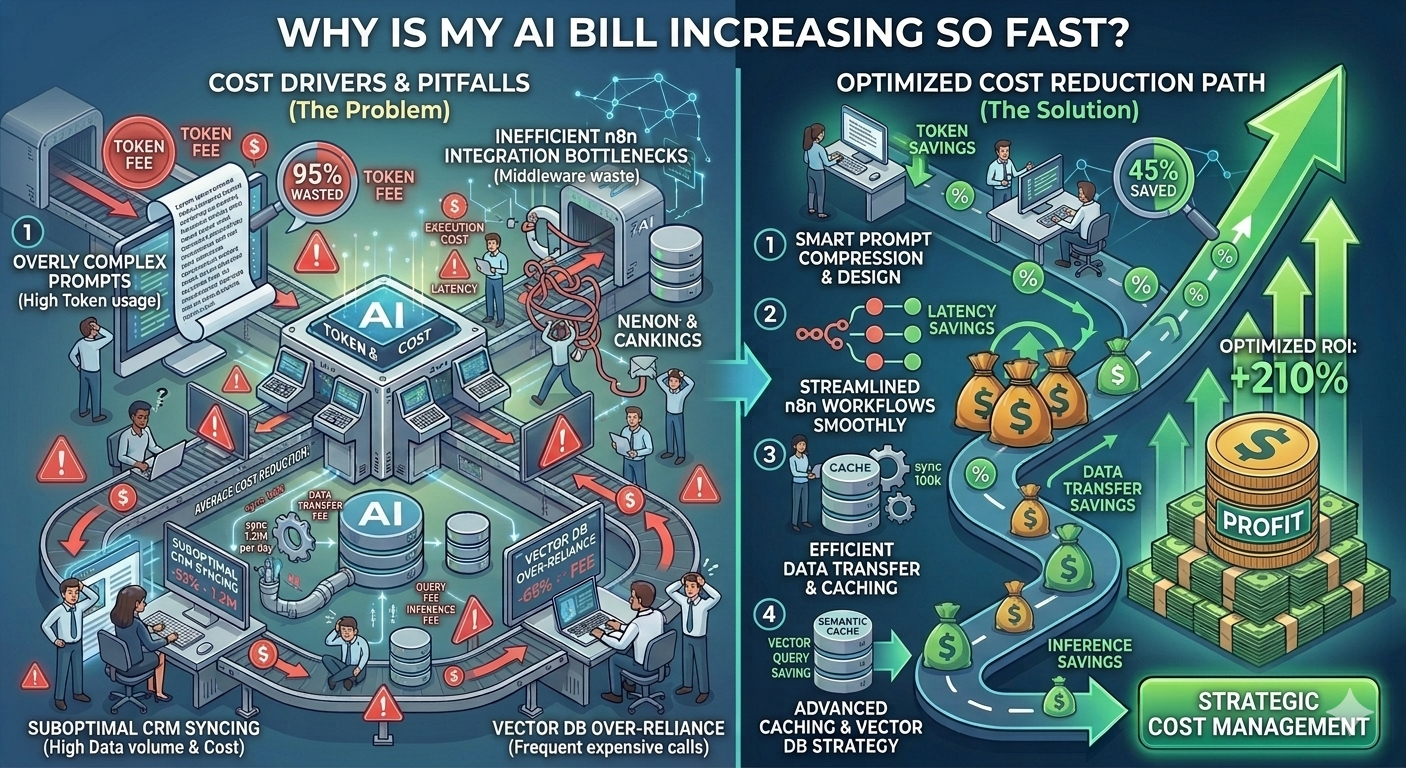
Why is my AI bill increasing so fast

Is It Time to Re-Architect Your AI Middleware? 3 Warning Signs of Inefficient Dev Work

Auditing custom SaaS AI, enterprise AI workflow optimization

Most companies don’t realize their AI systems are inefficient until the bill becomes impossible to ignore.

By that point, the problem is no longer about “optimizing prompts” — it becomes a structural issue in how the entire middleware is designed.

This is where auditing custom SaaS AI systems becomes critical, especially when early architectural mistakes start scaling into enterprise-level cost leakage.


The Real Problem: AI Cost Issues Are Usually Architectural, Not Operational

If your AI system is expensive, it’s rarely because of the model itself.

It’s because your workflow design is forcing unnecessary repeated computation.

This is a key blind spot in enterprise AI workflow optimization — and it often indicates that the system has outgrown the original developer’s architectural approach.


Warning Sign #1: Your AI Bill Scales Linearly With User Growth

In a well-optimized AI system, costs should not grow one-to-one with users.

Instead, intelligent systems introduce reuse layers such as:

  • semantic caching
  • response reuse
  • batch processing
  • deduplicated inference

If your system is not doing this, every new user equals a new full LLM cost cycle.

That means:

  • more users → more identical prompts
  • more prompts → more redundant token usage
  • more scale → exponential cost exposure

This is one of the clearest indicators that your middleware is not optimized for AI FinOps principles.


Warning Sign #2: Simple Tasks Take More Than 10 Seconds

If your system takes 10+ seconds to process basic operations like:

  • data extraction
  • ticket classification
  • lead summarization
  • record enrichment

then something deeper is wrong.

In modern architectures, these tasks should be near-instant unless an LLM call is unavoidable.

Common causes include:

  • unoptimized prompt chains
  • multiple sequential LLM calls per request
  • lack of caching or pre-processing layers
  • overloaded middleware logic (n8n, custom APIs, etc.)

This is where poor enterprise AI workflow optimization becomes a performance bottleneck — not just a cost issue.


Warning Sign #3: Repeated Identical Prompts in Logs

This is the most expensive and most ignored issue.

If you inspect your logs and see:

  • identical system prompts
  • same context payloads
  • repeated user queries with similar structure

appearing thousands of times, your system is effectively:

paying full price for the same intelligence repeatedly

This usually happens when there is:

  • no semantic caching layer
  • no request deduplication
  • no memory-based lookup system

At scale, this becomes one of the biggest hidden costs in AI-powered SaaS platforms.


The Hidden Root Cause: Lack of AI FinOps Thinking

Most development teams build AI systems like traditional software systems.

But LLM-based systems require a different mindset:

  • every call has variable cost
  • repetition directly equals financial waste
  • context size directly impacts billing

If your architecture does not account for this, costs will scale uncontrollably.

This is where AI FinOps becomes essential — not optional.


What a Properly Optimized AI Middleware Should Look Like

A cost-efficient system typically includes:

  • semantic caching layer (meaning-based reuse)
  • request deduplication engine
  • context compression before LLM calls
  • event-driven processing instead of full recomputation

This ensures that the system only calls the LLM when necessary — not by default.


How Enterprises Accidentally Waste Thousands Monthly

Most AI cost leaks come from a simple pattern:

  • workflow triggers → full context rebuild → LLM call → no reuse

When multiplied across:

  • support tickets
  • CRM updates
  • lead scoring
  • document processing

The waste becomes massive — often without anyone noticing until invoices arrive.


When You Should Seriously Consider Re-Architecting

You should evaluate a full redesign if:

  • AI costs are growing faster than revenue
  • you cannot explain token usage per workflow step
  • your system has no caching or memory layer
  • performance is inconsistent under load

At that point, optimization is no longer enough — architecture redesign becomes necessary.


Why Work With Me?

I specialize in auditing custom SaaS AI systems and rebuilding them for cost efficiency and scalability through:

  • enterprise AI workflow optimization
  • AI FinOps architecture design
  • semantic caching implementation
  • middleware performance restructuring
  • LLM cost reduction strategies
  • high-scale CRM automation systems

The goal is to stop waste at the architectural level — not just the prompt level.


Frequently Asked Questions (FAQ)

Q: Why is my AI bill increasing so fast?
Because your system likely repeats LLM calls without caching or deduplication as usage scales.

Q: What is AI FinOps?
It is the practice of optimizing financial efficiency in AI systems by reducing unnecessary model usage and token waste.

Q: How do I know if my middleware is inefficient?
If costs scale linearly, tasks are slow, or prompts are repeated frequently in logs, your system likely needs re-architecture.

Q: Can prompt optimization solve this problem?
Only partially. Most cost issues are architectural, not prompt-level.

Q: What is enterprise AI workflow optimization?
It is the process of redesigning AI systems for efficiency, reuse, caching, and minimal LLM dependency.


Get a Free AI Middleware Audit Checklist

To help identify inefficiencies in your system, I offer a free AI Middleware Audit Checklist that highlights:

  • cost leakage points
  • duplicate LLM calls
  • missing caching layers
  • workflow bottlenecks

📩 Request your audit checklist on Upwork

🎯 Get enterprise AI optimization consulting on Fiverr


How does semantic caching reduce AI costs?

Stop Paying for the Same Answer: Implementing Semantic Caching in AI Middleware

How to cache LLM responses, semantic cache for business automation, optimize repetitive AI tasks

Most AI systems are designed to be “smart.”

But very few are designed to be cost-efficient.

That’s why businesses running CRM automations, support bots, and internal AI workflows often end up paying for the same answer hundreds or thousands of times.

The fix is not more prompts.

The fix is memory — specifically, a semantic cache layer inside your AI middleware.


The Core Problem: AI Systems Keep Repeating Themselves

In most enterprise setups, every request is treated as brand new.

Even when the question is nearly identical, the system still calls an LLM like:

  • :contentReference[oaicite:0]{index=0}
  • :contentReference[oaicite:1]{index=1}

This means:

  • Customer A asks a question → LLM call
  • Customer B asks a similar question → another LLM call
  • CRM processes same inventory report daily → repeated LLM calls

You are paying full price every time — even when the answer already exists conceptually.


What “Semantic Caching” Actually Means

A semantic cache is a memory layer that stores meaning, not just exact text.

Instead of checking:

“Has this exact question been asked before?”

It checks:

“Has something similar in meaning already been answered?”

This is the key difference that enables semantic cache for business automation.


Why Traditional Caching Fails in AI Workflows

Normal caching systems (like Redis key-value cache) only match exact strings.

So these are treated as different requests:

  • “What is the status of invoice 123?”
  • “Can you check invoice 123 status?”
  • “Is invoice 123 paid or pending?”

Even though they mean the same thing.

Result:

  • 3 LLM calls
  • 3 token charges
  • 0 optimization

How Semantic Caching Works (Simple Architecture)

A proper AI middleware system introduces a semantic layer before the LLM call:


Step 1: Convert Input Into Embeddings

Every incoming request is converted into a vector representation (embedding) that captures meaning.


Step 2: Compare With Cached Memory

The system compares the new embedding with previously stored embeddings using similarity scoring.

If similarity is above a threshold (e.g. 0.85–0.95), it is considered “same meaning.”


Step 3: Return Cached Response Instantly

If a match is found:

  • no LLM call is triggered
  • no tokens are consumed
  • response is returned instantly

This is where cost drops to effectively $0.00 per repeated query.


Step 4: Store New Unique Responses

If no match is found:

  • LLM generates response once
  • result is stored in semantic cache
  • future similar queries reuse it

Real Business Example: CRM Support Automation

Let’s take a support system inside a CRM.

Customers repeatedly ask:

  • “Where is my order?”
  • “Track my shipment”
  • “Order status please”

Without semantic caching:

  • every message triggers LLM
  • cost scales linearly with volume

With semantic caching:

  • first query hits LLM
  • next 1,000 similar queries reuse cached answer

This is one of the most effective ways to optimize repetitive AI tasks.


Inventory & Data Pipelines: The Silent Cost Killer

Another major cost area is structured business data.

For example:

  • daily inventory summaries
  • pricing updates
  • report generation

These often repeat with minimal change.

Yet without semantic caching, the system still processes them as full AI tasks every time.


Semantic Cache vs Traditional Cache

Feature Traditional Cache Semantic Cache
Matching method Exact match Meaning-based similarity
LLM calls Frequent Heavily reduced
Cost efficiency Low High
Flexibility Rigid Context-aware

Why This Matters for Enterprise AI Systems

In enterprise automation, even a 20–40% reduction in LLM calls can translate into significant cost savings.

Semantic caching becomes essential in:

  • AI CRM systems
  • customer support bots
  • internal knowledge assistants
  • ERP automation layers
  • document processing pipelines

Common Mistake: Caching Only Final Outputs

Most teams try to optimize by caching only final responses.

But the real optimization happens earlier:

  • before the LLM is called
  • at the semantic matching layer

This is what actually eliminates redundant token usage at scale.


The Ideal AI Middleware Flow

A cost-optimized architecture looks like this:

  • input request → embedding generation
  • semantic cache lookup
  • if match found → return cached result
  • if no match → LLM call
  • store result in semantic cache

This structure ensures the LLM is only used when necessary.


Business Impact of Semantic Caching

Companies implementing this approach typically achieve:

  • 50%–90% reduction in repetitive LLM calls
  • significant reduction in AI API costs
  • faster response times
  • lower infrastructure load

The biggest gain is not speed — it is cost elimination on repeated intelligence.


Why Work With Me?

I design and optimize AI middleware systems focused on:

  • how to cache LLM responses effectively
  • semantic cache for business automation
  • reduce AI token usage at scale
  • CRM and ERP AI optimization
  • intelligent workflow architecture
  • cost-efficient LLM integration systems

The goal is simple: make AI systems reusable, not repetitive.


Frequently Asked Questions (FAQ)

Q: What is semantic caching in AI systems?
It is a caching method that stores and retrieves responses based on meaning similarity instead of exact text matching.

Q: How does semantic caching reduce AI costs?
It prevents unnecessary LLM calls by reusing previous responses for similar queries.

Q: Can semantic caching work in CRM systems?
Yes. It is especially effective in CRM support, lead handling, and repetitive query workflows.

Q: What is the difference between normal caching and semantic caching?
Normal caching matches exact inputs, while semantic caching understands meaning and context.

Q: Does semantic caching improve speed?
Yes. Cached responses are returned instantly without calling the LLM.


Get the Free Middleware AI Cost Leak Audit Checklist

To help identify where your system is wasting money on repeated AI calls, I’ve created a Middleware AI Cost Leak Audit Checklist.

It helps you detect:

  • repeated semantic queries
  • missing cache layers
  • duplicate LLM calls
  • workflow inefficiencies in AI pipelines

📩 Request the audit checklist on Upwork

🎯 Get AI optimization consulting on Fiverr


Why are my AI automation costs so high?

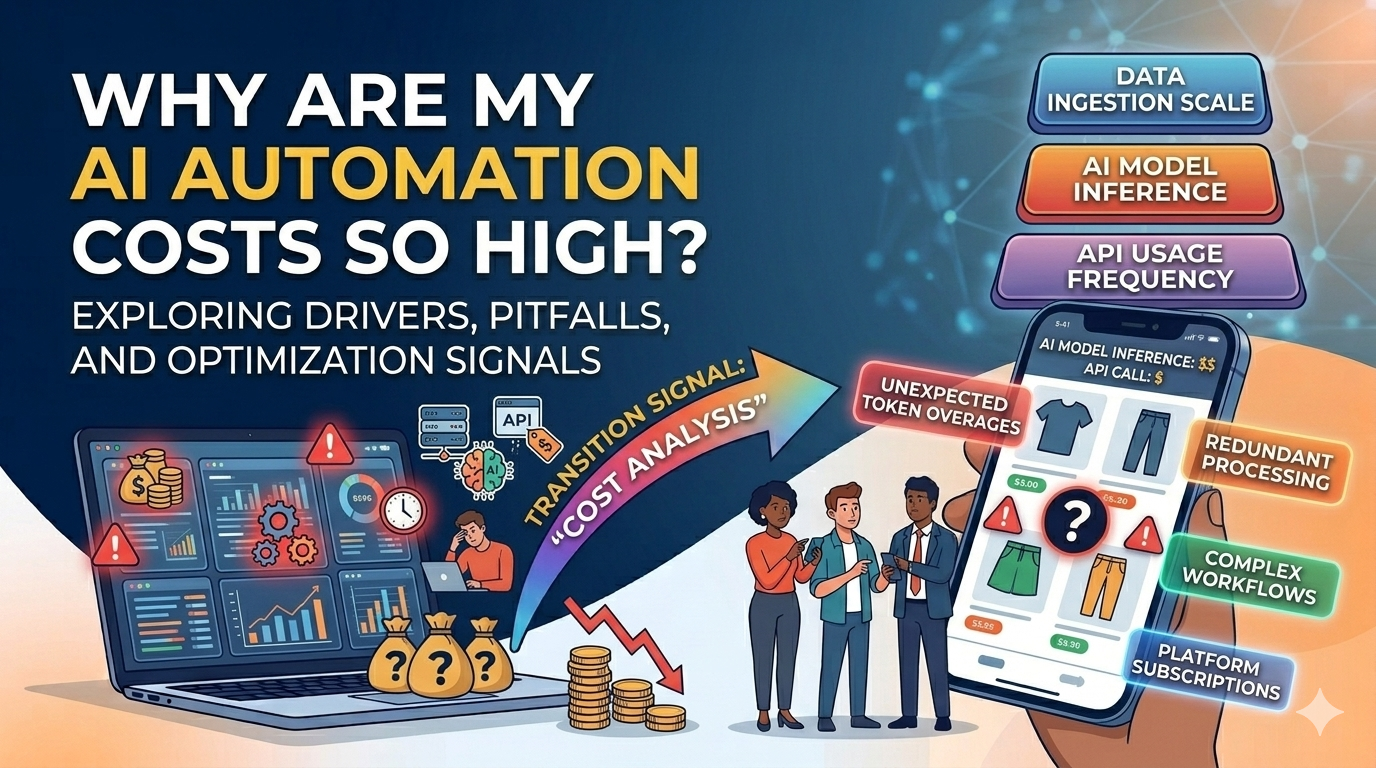
Why are my AI automation costs so high
The Automated Money Pit: Why Your Custom CRM/n8n AI Integration Costs 10x More Than It Should

Reduce n8n AI token usage, CRM middleware cost optimization, expensive AI workflows

If your OpenAI or Anthropic bill suddenly feels out of control, the problem is probably not “AI being expensive.”

The real issue is much more specific:

Your middleware is re-processing the same intelligence over and over again.

This is the hidden cost trap behind many expensive AI workflows built on tools like
:contentReference[oaicite:0]{index=0}, custom CRMs, and API-based AI pipelines.


The Real Problem: AI Isn’t Expensive — Bad Workflow Design Is

Most business owners assume AI costs are driven by usage volume.

In reality, the biggest cost driver is:

  • redundant context processing
  • unoptimized middleware loops
  • repeated prompt execution
  • lack of caching strategy

Every time your system re-sends full context to an LLM, you are paying for the same intelligence twice — sometimes hundreds of times per day.


How Middleware Becomes a Silent Cost Leak

Modern CRM automation pipelines often look like this:

  • incoming lead → AI summary
  • support ticket → AI classification
  • email → sentiment analysis
  • chat → response generation

But here is the hidden inefficiency:

Each time the workflow runs, the system often:

  • rebuilds full prompt context
  • re-injects historical conversation
  • reprocesses already analyzed data

This creates a continuous billing loop inside your AI provider account.


The Most Expensive Pattern: “Full Context Rebuild Every Time”

One of the biggest causes of token waste in CRM middleware cost optimization failures is this pattern:

Every workflow run reconstructs the entire conversation history instead of referencing a stored result.

For example:

  • Lead comes in → AI summarizes profile
  • Same lead updates → system resends full profile + previous AI output
  • AI re-analyzes everything again

You are not paying for intelligence.

You are paying for repetition.


Where n8n and Similar Tools Quietly Waste Money

Platforms like
:contentReference[oaicite:1]{index=1} are powerful — but they don’t enforce cost optimization by default.

Common inefficiencies include:

  • AI nodes triggered multiple times per event
  • duplicate webhook executions
  • no state persistence between steps
  • lack of result caching
  • unnecessary re-summarization steps

This is why teams trying to reduce n8n AI token usage often see minimal improvement without architectural changes.


The Core Issue: No Memory Layer Between AI Calls

Most expensive AI workflows fail because they behave statelessly.

That means:

  • no persistent memory
  • no result reuse
  • no structured output storage

So even if the same lead was processed 10 minutes ago, the system behaves like it’s seeing it for the first time.


What Optimized AI Middleware Looks Like

A cost-efficient architecture introduces a memory-aware layer:

  • store AI outputs as structured JSON
  • reuse prior classification results
  • only re-run AI when data meaningfully changes
  • separate “analysis” from “retrieval”

This simple shift alone can reduce AI costs significantly in high-volume systems.


The Hidden Multiplier: Support Tickets and CRM Loops

The biggest cost explosions usually happen in:

  • support ticket classification systems
  • lead scoring automation
  • email summarization pipelines

Why?

Because these are repetitive, high-frequency workflows that often reprocess identical or near-identical data.

Without optimization, every interaction triggers a full LLM call cycle.


How Businesses Accidentally 10x Their AI Bills

Here is the typical pattern:

  • build automation quickly
  • add AI at every step
  • skip caching logic
  • duplicate workflow triggers
  • scale usage without monitoring token consumption

At that point, costs don’t grow linearly — they explode exponentially.


How to Actually Reduce AI Token Usage (Without Breaking Automation)

To fix expensive AI workflows, you need structural changes:

  • introduce response caching per entity (lead, ticket, customer)
  • store embeddings instead of raw reprocessing
  • split workflows into deterministic + AI layers
  • avoid full context injection for every call
  • track token usage per node, not just total usage

This is where real CRM middleware optimization happens.


The Real Goal: Stop Paying for the Same Intelligence Twice

AI should answer new questions — not re-solve old ones.

If your system is repeatedly analyzing the same data, you are not scaling intelligence.

You are scaling inefficiency.


Why Work With Me?

I specialize in designing cost-optimized AI middleware systems focused on:

  • reduce n8n AI token usage
  • CRM middleware cost optimization
  • high-volume AI workflow architecture
  • LLM caching and memory design
  • API-first automation systems
  • enterprise-grade AI pipeline optimization

The goal is simple: make AI systems smarter and significantly cheaper to run at scale.


Frequently Asked Questions (FAQ)

Q: Why are my AI automation costs so high?
Because your workflows likely reprocess the same data repeatedly without caching or memory reuse.

Q: How can I reduce n8n AI token usage?
By adding caching layers, avoiding redundant prompts, and storing structured AI outputs for reuse.

Q: What causes expensive AI workflows?
Repeated context injection, stateless design, and unnecessary LLM calls in automation pipelines.

Q: Is n8n inefficient for AI workflows?
Not inherently — but it requires careful architecture to avoid redundant AI execution.

Q: What is CRM middleware cost optimization?
It is the process of redesigning automation layers to reduce unnecessary AI calls and infrastructure costs.


Get the Free Middleware AI Cost Leak Audit Checklist

If you want to identify where your system is silently wasting money, I’ve created a Middleware AI Cost Leak Audit Checklist.

It helps you detect:

  • duplicate AI execution points
  • missing caching layers
  • token-heavy workflows
  • redundant context rebuilding

📩 Request the audit checklist on Upwork

🎯 Get AI workflow optimization support on Fiverr


AI automation in ERP & intelligent process automation enterprise

AI automation in ERP & intelligent process automation enterprise custom crm developer custom saas developer

Beyond If/Then Rules: How Multi-Agent AI Environments Are Transforming Enterprise Process Automation

AI automation in ERP, intelligent process automation enterprise, autonomous CRM workflows

Most enterprise automation today is still built on a simple idea:

“If this happens, then trigger that action.”

It works — but only up to a point.

In 2026, enterprises are discovering a much deeper shift: moving from rule-based workflows to autonomous AI systems that can understand, decide, and execute complex business processes inside ERP and CRM environments.

This is where AI automation in ERP stops being “workflow automation” and becomes something closer to digital operations intelligence.


The Limitation of Traditional Automation (Why If/Then Is Not Enough)

Classic automation tools in ERP and CRM systems are built around predefined triggers:

  • Status changes → send email
  • Invoice created → notify finance team
  • Form submitted → create CRM lead

This approach is predictable — but rigid.

It fails when real-world data becomes:

  • unstructured
  • incomplete
  • inconsistent
  • context-dependent

And in enterprise operations, most critical data is exactly that.


The Shift: From Automation to Autonomous AI Agents

Modern enterprises are now moving toward intelligent process automation enterprise systems powered by multi-agent AI environments.

Instead of single-step rules, AI agents can:

  • interpret documents
  • extract structured meaning
  • validate against business rules
  • take corrective action
  • log audit trails automatically

This is not automation reacting to events — it is systems making operational decisions.


What a Multi-Agent AI ERP Actually Looks Like

In an AI-powered ERP architecture, multiple specialized agents work together:

  • Ingestion Agent – collects incoming data (emails, PDFs, APIs)
  • Extraction Agent – converts unstructured data into structured records
  • Validation Agent – checks compliance against contracts or policies
  • Decision Agent – flags anomalies or approves normal transactions
  • Ledger Agent – posts clean data into financial systems

Each agent operates independently but collaborates within a controlled workflow.

This is the foundation of next-generation AI automation in ERP.


Real Example: Vendor Invoice Processing Without Human Touch

Let’s take a real enterprise scenario.

A vendor sends an unstructured PDF invoice via email.

In a traditional ERP system:

  • accounting team downloads PDF
  • manually enters data
  • cross-checks contract terms
  • flags issues manually
  • posts entry into ledger

Now compare this with an AI-native ERP system:


Step 1: Intelligent Ingestion

The system automatically detects incoming vendor emails and extracts attached PDFs.


Step 2: Advanced Data Extraction

An AI extraction engine reads the invoice like a human:

  • vendor details
  • line items
  • tax breakdown
  • payment terms

Even if formats differ across vendors, the system adapts dynamically.


Step 3: Contract Intelligence Check

The AI compares invoice data against stored contract rules:

  • price variance detection
  • overbilling identification
  • duplicate invoice detection
  • payment term validation

This is where autonomous CRM workflows begin extending into finance operations.


Step 4: Anomaly Detection

If something looks incorrect, the system:

  • flags it automatically
  • assigns severity score
  • routes it to compliance queue

If everything is valid, it proceeds without human involvement.


Step 5: Auto Posting to Financial Ledger

Clean, validated data is pushed directly into the ERP ledger system.

No manual entry.

No spreadsheet reconciliation.

No delay cycles.


Why This Is Different From Traditional Automation

Traditional automation:

  • follows rules
  • requires predefined conditions
  • breaks when formats change

AI multi-agent systems:

  • interpret context
  • adapt to new formats
  • make probabilistic decisions
  • learn from historical patterns

This is the difference between automation and intelligence.


Enterprise Impact of AI Automation in ERP

Organizations implementing AI-driven ERP workflows typically see:

  • 60%–90% reduction in manual processing tasks
  • significant drop in invoice errors
  • faster financial close cycles
  • improved compliance accuracy
  • real-time operational visibility

The biggest shift is not cost reduction — it is operational autonomy.


Why Multi-Agent Systems Are Replacing Single Workflow Engines

Legacy automation tools struggle with complexity because they assume one system controls all logic.

But enterprise reality is distributed.

Multi-agent AI systems solve this by:

  • dividing intelligence into specialized roles
  • running parallel reasoning processes
  • coordinating outputs through a central orchestrator

This allows ERP systems to behave more like adaptive ecosystems than rigid software.


Where This Is Already Being Used

AI-powered ERP automation is being adopted in:

  • finance & accounting systems
  • procurement pipelines
  • supply chain management
  • enterprise CRM operations
  • compliance-heavy industries

Especially in enterprises dealing with high-volume document workflows.


The Strategic Advantage: Removing Human Bottlenecks

In traditional systems, humans are the processing layer between systems.

In AI-native systems, humans become exception handlers, not data processors.

This fundamentally changes:

  • cost structure
  • operational speed
  • error rates
  • scalability limits

Why Work With Me?

I design and build AI-powered enterprise systems focused on:

  • AI automation in ERP workflows
  • intelligent process automation enterprise systems
  • autonomous CRM workflows
  • multi-agent AI architecture design
  • document intelligence pipelines (PDF, invoices, contracts)
  • API-first ERP modernization

The goal is to transform static business systems into autonomous operational environments.


Frequently Asked Questions (FAQ)

Q: What is AI automation in ERP?
It is the use of artificial intelligence to automate complex enterprise workflows like finance, procurement, and CRM operations beyond simple rule-based triggers.

Q: How is multi-agent AI different from traditional automation?
Traditional automation uses fixed rules, while multi-agent systems use specialized AI components that interpret, decide, and execute tasks dynamically.

Q: Can AI process unstructured documents like PDFs?
Yes. Modern AI systems can extract structured data from invoices, contracts, and vendor documents automatically.

Q: What are autonomous CRM workflows?
These are CRM processes where AI agents manage lead scoring, follow-ups, segmentation, and engagement without manual intervention.

Q: Is AI ERP automation replacing humans?
No. It reduces repetitive tasks and allows humans to focus on exceptions, strategy, and decision-making.


Get the AI Readiness Assessment Matrix

To help enterprises evaluate their automation maturity, I’ve created a private AI Readiness Assessment Matrix.

It helps you identify:

  • which workflows can be automated immediately
  • where AI agents add the most ROI
  • which processes are blocking scalability
  • how close your ERP is to autonomous operation

📩 Request the AI Readiness Assessment on Upwork

🎯 Get implementation support on Fiverr


Custom Enterprise CRM ERP SAAS Development

Custom enterprise ERP development, enterprise CRM ROI, legacy ERP inefficiencies

“`html id=”x9c2kq”

The Per-Seat SaaS Tax: Why Enterprises Are Abandoning Salesforce and NetSuite for Custom Core Software

Custom enterprise ERP development, enterprise CRM ROI, legacy ERP inefficiencies

For years, enterprise software was sold as the safest choice:

“Just subscribe, scale users, and let the platform handle everything.”

But in 2026, many large organizations are quietly discovering a different reality — one where “scaling” SaaS platforms like
:contentReference[oaicite:0]{index=0} and
:contentReference[oaicite:1]{index=1} actually introduces long-term inefficiencies, not freedom.

This is where the concept of the per-seat SaaS tax becomes unavoidable.


The Hidden Cost Model: Why “Per User Pricing” Becomes a Trap

Most enterprise SaaS platforms follow a simple model:

  • pay per user seat
  • pay per module
  • pay for add-ons
  • pay for integrations

At small scale, this feels manageable.

At enterprise scale, it becomes a permanent tax on growth.

As companies expand, they face:

  • rising license costs every quarter
  • inactive or low-usage paid accounts
  • duplicated roles across departments
  • overlapping SaaS subscriptions

This is the foundation of enterprise CRM ROI degradation.


The Real Problem: Subscription Bloat Across the Enterprise Stack

Modern enterprises rarely use just one system.

Instead, they operate a fragmented stack:

  • CRM (Salesforce, HubSpot, Dynamics)
  • ERP (NetSuite, SAP, Oracle)
  • HR systems
  • billing platforms
  • custom analytics tools
  • external middleware

Each system has its own:

  • data model
  • authentication layer
  • pricing structure
  • integration limitations

Over time, companies end up paying for software that does not fully communicate with itself.


The Invisible Cost: Middleware Complexity

To make systems talk to each other, enterprises often build or buy middleware layers:

  • Zapier-style automation tools
  • custom API bridges
  • integration platforms (iPaaS)
  • internal microservices glue code

But this introduces a new problem:

“You are paying to maintain the systems you already paid to integrate.”

Each layer adds:

  • latency
  • failure points
  • maintenance cost
  • data inconsistency risks

This is one of the biggest drivers of legacy ERP inefficiencies.


Why Enterprises Are Reconsidering Custom Core Systems

Instead of stacking tools, many organizations are shifting toward:

custom enterprise ERP development — unified systems built around their exact workflows, not generic SaaS constraints.

This approach eliminates:

  • seat-based pricing models
  • feature limitations
  • vendor lock-in constraints
  • integration dependency chains

Instead, companies gain a single, unified operational core.


The Core Argument: SaaS Optimizes for Vendors, Not Enterprises

Traditional enterprise SaaS platforms are designed to scale vendor revenue, not operational efficiency.

That means:

  • pricing scales with headcount, not value delivered
  • features are modular and gated
  • integrations are paid extensions

As a result, enterprises often end up optimizing their operations around software limitations rather than business logic.


The Alternative: Unified Custom CRM/ERP Ecosystems

Modern custom systems replace fragmented SaaS stacks with a single architecture:

  • one data model
  • one authentication system
  • one reporting engine
  • one workflow layer

This is the foundation of modern custom enterprise ERP development.

Instead of paying per seat, companies invest in:

  • infrastructure ownership
  • scalable backend architecture
  • API-first design systems

What Gets Eliminated in Custom ERP Systems

When enterprises move away from legacy SaaS stacks, they typically eliminate:

  • per-user licensing fees
  • redundant SaaS subscriptions
  • middleware dependency chains
  • manual data reconciliation processes

More importantly, they eliminate operational fragmentation.


ROI Shift: From Subscription Spending to Asset Building

In SaaS models:

  • money flows out continuously
  • ownership remains with vendors

In custom systems:

  • initial build cost is higher
  • long-term cost stabilizes
  • system becomes a company asset

This is where enterprise CRM ROI fundamentally changes.


Why Large Companies Are Quietly Moving Away From Big Platforms

Enterprises don’t publicly “quit” platforms like Salesforce or NetSuite overnight.

Instead, they gradually transition through:

  • partial system replacement
  • hybrid internal tools
  • custom workflow engines
  • data layer abstraction

Over time, the SaaS stack becomes a thin layer — not the core system.


The Future: Enterprise Systems as Custom Infrastructure

The shift is clear:

Companies are moving from:

  • software subscription dependency

to:

  • owned digital infrastructure

This enables:

  • full control over workflows
  • optimized business logic
  • removal of artificial pricing constraints
  • scalable internal ecosystems

Why Work With Me?

I design and build high-performance custom enterprise systems focused on eliminating SaaS dependency and optimizing operational architecture through:

  • custom enterprise ERP development
  • API-first CRM systems
  • legacy system modernization
  • real-time data synchronization layers
  • scalable backend architecture (Laravel, Node.js)
  • integration replacement for SaaS-heavy stacks

The goal is not just to build software — but to replace subscription overhead with long-term system ownership.


Frequently Asked Questions (FAQ)

Q: What is the per-seat SaaS tax?
It refers to increasing costs enterprises pay as user counts grow in SaaS platforms like CRM and ERP systems.

Q: Why are companies moving away from Salesforce and NetSuite?
Due to rising licensing costs, integration complexity, and limited flexibility at scale.

Q: Is custom ERP development expensive?
Initial cost is higher, but long-term ROI is often significantly better due to elimination of recurring SaaS fees.

Q: What are legacy ERP inefficiencies?
They include slow integrations, rigid workflows, high licensing costs, and fragmented data systems.

Q: Can custom systems fully replace SaaS platforms?
Yes, many enterprises gradually replace SaaS tools with unified custom-built platforms tailored to their workflows.


Ready to Escape Subscription Bloat?

If your organization is dealing with:

  • rising SaaS licensing costs
  • fragmented CRM/ERP systems
  • complex middleware dependencies
  • limited customization options
  • low enterprise CRM ROI

📩 Book a consultation on Upwork

🎯 Discuss custom enterprise ERP development on Fiverr