UTTeam WooCommerce Plugin & Full Supplier Automation System (Product Sync + Dropshipping Order API Integration)

UTTeam WooCommerce integration, WooCommerce supplier API plugin, product sync WooCommerce UTTeam, dropshipping automation WooCommerce, inventory synchronization WordPress middleware, variable product supplier sync

Modern WooCommerce stores are no longer just “product import websites.”

They are fully automated commerce systems that require:

I recently built a complete UTTeam WooCommerce integration system using a custom middleware architecture, designed specifically for scalable dropshipping operations.


Reference Ecosystem (WordPress Supplier Sync Landscape)

While exploring existing solutions like:

🔗 Products Sync for WooCommerce (multi-supplier import framework)

I identified a key limitation in most plugins:

So I implemented a custom middleware-driven architecture instead of relying on a single plugin layer.


Project Example: UTTeam WooCommerce Integration System

This system was designed to solve full-cycle dropshipping automation for WooCommerce stores using UTTeam supplier APIs.

Core objective:

Build a system that automatically synchronizes products from UTTeam into WooCommerce and sends orders back to the supplier without manual intervention.


System Architecture Overview

The solution is built using three layers:


1. Product Sync from UTTeam API

The system fetches full product datasets from UTTeam, including:

All incoming data is normalized before entering WooCommerce.


2. Middleware Normalization & Transformation Layer

Raw supplier data is never pushed directly into WooCommerce.

Instead, a transformation layer handles:

This ensures compatibility with WooCommerce product architecture.


3. Hash-Based Change Detection System

To avoid redundant processing, every product is stored using a hashed representation inside a custom database table.

This allows detection of:

This is critical for large supplier catalogs where full re-imports are not scalable.


4. Insert / Update / Delete Sync Engine

The WooCommerce system is updated intelligently:

This ensures the storefront always reflects real supplier availability.


5. Real-Time Inventory Synchronization

The system continuously syncs stock levels from UTTeam API.

This includes:

This prevents overselling and improves customer trust in live inventory accuracy.


6. Variable Product Handling (Advanced Mapping Engine)

UTTeam products often include complex variation structures.

The system handles:

This is one of the most critical parts of enterprise-level WooCommerce integrations.


7. Order Forwarding Back to UTTeam (Dropshipping Automation)

Once a customer places an order on WooCommerce, the system automatically:

This creates a fully automated dropshipping workflow with no manual order handling.


Why Middleware Is Better Than Direct Plugins

Most WooCommerce supplier plugins fail at scale because they:

A middleware system solves this by acting as a control layer between WooCommerce and supplier APIs.

This results in:


Comparison: Basic Plugin vs Middleware System

Feature Basic WooCommerce Plugin Custom Middleware System
Product sync Full re-import Delta-based (hash detection)
Variable products Limited support Full mapping engine
Stock updates Cron-based delays Near real-time sync
Order forwarding Often missing Fully automated API push
Scalability Low High (enterprise-ready)

Who This System Is Built For

This architecture is ideal for:


Related Integration Work

I also developed similar systems for:

🔗 Miogest CRM case study:
https://apifixer.com/miogest-crm-wordpress-plugin/


Why Work With Me?

I specialize in building advanced WooCommerce automation systems including:

My focus is always on building scalable systems that go beyond basic plugins and solve real operational problems.


Frequently Asked Questions (FAQ)

Q: Can UTTeam be integrated directly into WooCommerce?
Yes, but direct integration is not scalable. Middleware improves reliability and performance significantly.

Q: Does the system support variable products?
Yes. It includes full variation mapping and SKU-level stock synchronization.

Q: How does stock synchronization work?
Stock is continuously pulled from UTTeam API and reflected in WooCommerce in near real time.

Q: Can orders be sent back to UTTeam automatically?
Yes. Orders are forwarded to UTTeam API for automated dropshipping fulfillment.

Q: Is this scalable for large catalogs?
Yes. Hash-based delta syncing ensures high performance even with thousands of products.


Need a Custom WooCommerce Supplier Integration?

If you are looking for:

📩 Contact me on Upwork

🎯 Hire me on Fiverr


End-to-End WooCommerce Supplier Sync & Dropshipping Automation for UTTeam & Multi-Supplier APIs (WordPress Middleware Case Study)

Target Keywords: WooCommerce supplier API integration, UTTeam dropshipping WooCommerce plugin, product sync WordPress WooCommerce, inventory automation WooCommerce, order API WooCommerce dropshipping system

Modern WooCommerce stores that rely on supplier APIs are no longer simple “import products and sell” systems.

They are now fully automated data pipelines that must handle:

I recently built and deployed a full middleware-based WooCommerce synchronization system for a real production environment using:

This type of system is ideal for businesses that need a stable WooCommerce supplier API integration + dropshipping automation pipeline.


Real Project Example: Textilbase WooCommerce Sync System

I implemented this system for:

🌐 https://textilbase.cz

The goal was to build a fully automated product synchronization system between WooCommerce and UTTeam supplier APIs.


The Core Problem

Most WooCommerce dropshipping setups fail at scale because they rely on basic import plugins that:

In this case, the requirement was more advanced:


The Solution: Middleware-Based WooCommerce Sync Architecture

Instead of connecting WooCommerce directly to the supplier API, I built a middleware synchronization layer.

This middleware acts as a control system between:


How the System Works

1. Supplier Data Extraction (UTTeam API)

The system pulls complete product datasets from UTTeam, including:


2. Data Normalization Layer

Raw supplier data is inconsistent, so it is normalized into a structured WooCommerce format.

This includes:


3. Hash-Based Change Detection System

To avoid unnecessary processing, every product is stored in a hashed format inside a custom database table.

This allows the system to detect:

This is critical for performance when handling large catalogs.


4. Insert / Update / Delete Sync Engine

The WooCommerce database is updated intelligently:

This ensures the storefront always matches supplier reality.


5. Inventory Synchronization (Real-Time Stock Logic)

Stock levels are continuously synced from UTTeam API.

The system automatically updates:

This prevents overselling and improves customer trust.


6. Variable Product Handling (Advanced Mapping)

One of the most complex parts was handling UTTeam variable products.

The middleware ensures:


7. Order Forwarding to UTTeam (Dropshipping Automation)

When a customer places an order on WooCommerce:

This enables fully automated dropshipping fulfillment.

🔗 Example integration reference (WooCommerce API approach):

Products Sync for WooCommerce Plugin (similar architecture reference) :contentReference[oaicite:1]{index=1}


Why Middleware Architecture Matters

Most plugins try to solve this with direct API syncs.

But at scale, that approach breaks due to:

A middleware layer solves this by acting as a data intelligence engine:


Comparison: Basic Plugin Sync vs Middleware System

Feature Basic WooCommerce Plugin Middleware Sync System (This Solution)
Product sync method Full re-import Delta (hash-based updates)
Variable products Limited / unstable Fully supported mapping engine
Stock updates Delayed / cron-based Near real-time sync
Order forwarding Often missing Fully automated API push
Scalability Low High (optimized middleware)

Who This Solution Is Built For

This system is ideal for:


Related Work

I also built similar systems for:

🔗 Miogest CRM integration case study:
https://apifixer.com/miogest-crm-wordpress-plugin/


Why Work With Me?

I specialize in building advanced:

My focus is not just importing products — but building scalable, production-grade automation systems that eliminate manual work entirely.


Frequently Asked Questions (FAQ)

Q: Can WooCommerce handle UTTeam supplier APIs directly?
Yes, but direct integration does not scale well. Middleware improves reliability and performance.

Q: How are variable products handled?
Through a structured mapping system that maintains parent-child relationships and SKU-level inventory tracking.

Q: Does the system support real-time stock updates?
Yes, stock is continuously synchronized and reflected in WooCommerce.

Q: Can orders be automatically sent to the supplier?
Yes, orders are forwarded to UTTeam API automatically after checkout.

Q: Is this scalable for large catalogs?
Yes, hash-based delta syncing ensures performance even with thousands of products.


Need a Custom WooCommerce Supplier Integration System?

If you are looking for:

📩 Contact me on Upwork

🎯 Hire me on Fiverr


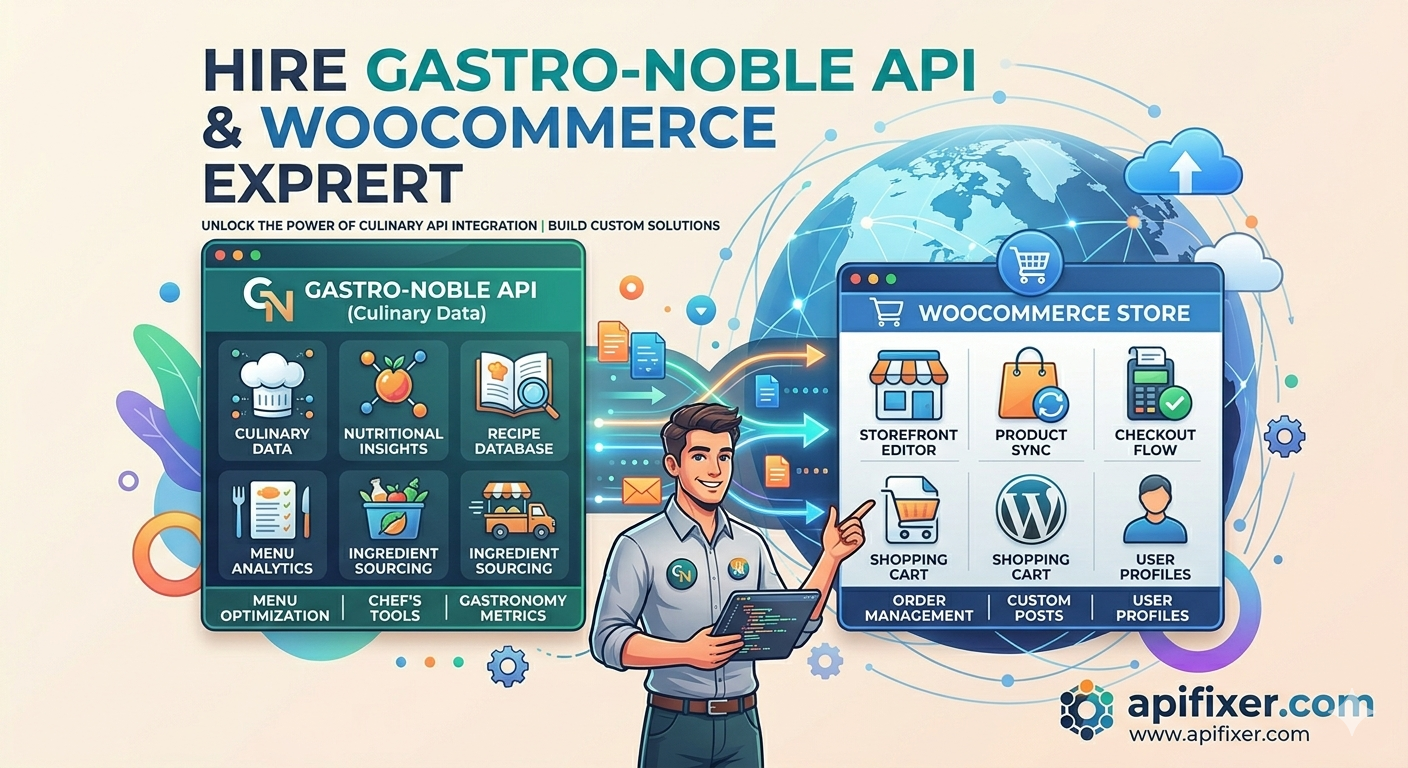
Gastronoble WooCommerce Dropshipping & Inventory Sync for WordPress (WooCommerce Plugin Integration Case Study)

Gastronoble WooCommerce integration, dropshipping API WooCommerce, inventory sync WooCommerce plugin, real-time stock update WooCommerce, supplier API order automation

Modern eCommerce stores in the hospitality and restaurant supply industry rely heavily on real-time inventory accuracy and automated order processing.

I recently implemented a full WooCommerce + Gastronoble integration system for the websites:

The goal was to create a fully automated dropshipping and inventory synchronization engine between WooCommerce and the Gastronoble supplier API:

🔗 Gastronoble API Swagger Documentation


The Business Problem

Before automation, the client faced typical supplier-sync challenges:

In dropshipping environments, even a small delay in stock updates can cause:

The system needed to be fully automated, fast, and reliable.


The Solution: Custom WooCommerce Gastronoble Sync Plugin

I developed a custom WordPress plugin that acts as a middleware layer between:

The plugin handles the entire product lifecycle:


How the Inventory Sync System Works

1. Product Import from Gastronoble API

The system pulls full product data from the Gastronoble API including:

Each product is normalized before insertion into WooCommerce.


2. Smart Database Storage with Hashing

Instead of repeatedly overwriting all products, I implemented a hash-based comparison system.

Each product is stored in a custom WooCommerce database table in hashed format, allowing the system to detect:

This ensures:


3. Real-Time Stock Synchronization

The plugin continuously synchronizes inventory status from Gastronoble.

Whenever stock changes occur at the supplier level:

This ensures customers only see accurate product availability at all times.


4. Automatic Insert, Update & Delete Logic

Operation System Behavior
Insert New supplier products are added automatically to WooCommerce
Update Existing products are updated only if data has changed (hash comparison)
Delete Removed supplier products are automatically removed or hidden from store

5. Order Forwarding to Gastronoble (Dropshipping Automation)

Once a customer places an order on WooCommerce, the system automatically:

This enables fully automated dropshipping fulfillment through:

🔗 Gastronoble Order API (Swagger)

No manual order processing is required.


Stock Status Intelligence (In Stock / Out of Stock Automation)

The system continuously evaluates stock states and automatically updates WooCommerce product visibility:

This prevents overselling and improves customer trust.


Image Sync & Media Optimization

All product images from Gastronoble are automatically:

This improves both:


Performance Design Considerations

The system is optimized for large-scale catalog synchronization:

This ensures stable performance even with thousands of products.


Why Custom WooCommerce Integration Matters

Generic plugins often fail in complex supplier environments because they:

A custom integration allows full control over:


Related Work & Integration Reference

I have also worked on similar CRM and API synchronization systems. You can view another related implementation here:

🔗 Miogest CRM WordPress Integration Case Study


Who This Solution Is For

This type of system is ideal for:


Why Work With Me?

I specialize in building advanced WooCommerce automation systems including:

My focus is building systems that are not just functional — but scalable, optimized, and production-ready.


Frequently Asked Questions (FAQ)

Q: Does the system support real-time inventory updates?
Yes. Stock levels are continuously synchronized from Gastronoble API.

Q: Can orders be automatically sent to the supplier?
Yes. WooCommerce orders are automatically forwarded to Gastronoble API for fulfillment.

Q: Does it prevent overselling?
Yes. Stock status is updated in real time, ensuring accurate availability.

Q: Can this handle large product catalogs?
Yes. The system uses hashed delta-based updates to optimize performance.

Q: Is this a plugin or custom system?
It is a custom-built WordPress plugin tailored specifically for supplier integration workflows.


Need a Custom WooCommerce Supplier Integration?

If you are looking for:

📩 Contact me on Upwork

🎯 Hire me on Fiverr


Real Estate Data Automation: How I Built a Real-Time Miogest CRM Sync for a WordPress Luxury Property Website

Miogest CRM WordPress integration, Miogest API sync, real estate CRM synchronization, WordPress property feed integration, Miogest property import plugin, Luxus theme Miogest integration

One of the biggest problems in modern real estate websites is keeping property data synchronized across multiple systems.

Real estate agencies often manage listings inside CRM platforms while their public website runs separately on WordPress.

The result?

Recently, I completed a custom Miogest CRM WordPress synchronization system for the luxury real estate website:

🌐 https://immobiliaresg.it

The website runs on a custom implementation using the Luxus real estate theme architecture, and the objective was clear:

Create a fully automated real-time synchronization system between Miogest CRM and WordPress.


The Challenge

The client required:

The problem with many traditional property import solutions is that they:

So instead of using a generic importer, I engineered a dedicated synchronization middleware plugin specifically for this workflow.


The Architecture: Custom Miogest Sync Plugin for WordPress

I developed a custom WordPress plugin that acts as a synchronization bridge between:

The plugin performs:


How the Miogest Synchronization System Works

Step 1 — Fetching Data from Miogest CRM

The plugin communicates with Miogest CRM and retrieves:

This creates a centralized automated property feed pipeline.


Step 2 — Data Normalization Engine

CRM systems often return inconsistent or highly structured datasets.

I created a normalization layer that transforms Miogest data into a clean WordPress-ready format.

This includes:

This ensures compatibility with the custom Luxus theme architecture.


Step 3 — Intelligent Hash-Based Change Detection

This is one of the most important parts of the system.

Instead of blindly re-importing properties every sync cycle, the plugin stores normalized property data inside a custom WordPress database table using hashed records.

This allows the system to detect:

Benefits of this architecture:

Only changed data gets processed.


Real-Time Property Updates

The synchronization system continuously checks for changes inside Miogest CRM.

Whenever:

those changes are automatically reflected on the WordPress website.

The safe public synchronization window is configured at approximately:

5 minutes

although internally the system is capable of operating significantly faster.


Automatic Image Synchronization & SEO Optimization

Property media synchronization is usually one of the hardest parts of real estate automation.

The plugin automatically:

Additionally, I implemented SEO-friendly media handling:


Automatic Insert, Update & Delete Logic

The synchronization engine supports full CRUD operations:

Operation Behavior
Insert Creates new property listings automatically
Update Modifies only changed fields intelligently
Delete Removes outdated or deleted CRM listings

This creates a true automated property management ecosystem.


Why Hash-Based Synchronization Matters

Many developers build property importers that:

My approach uses intelligent hashing and delta detection.

This means:

This architecture becomes extremely important for agencies handling thousands of listings.


Supported Real Estate Automation Features

The system architecture can support:


Why Custom CRM Synchronization Is Better Than Generic Plugins

Generic import plugins are often limited because they:

Custom synchronization systems provide:


Related Miogest CRM WordPress Integration

I have also published a dedicated article related to Miogest CRM WordPress integrations here:

🔗 Miogest CRM WordPress Plugin & Integration Solutions


Who Needs This Type of Synchronization System?

This type of architecture is ideal for:


Why Work With Me?

I specialize in:

With extensive experience in API integrations and real estate automation systems, I build scalable synchronization solutions designed for performance, stability, and long-term maintainability.


Frequently Asked Questions (FAQ)

Q: Can Miogest CRM synchronize with WordPress automatically?
Yes. A custom synchronization system can automatically import, update, and delete property listings in real time.

Q: Does the system support image synchronization?
Yes. Property images can be automatically downloaded, uploaded into WordPress media library, and optimized for SEO.

Q: How fast are the updates reflected on the website?
The public-safe synchronization interval is configured around 5 minutes, although internally the system can operate faster.

Q: Can this work with custom WordPress real estate themes?
Yes. The synchronization system can be adapted for custom themes including Luxus, Houzez, and other real estate architectures.

Q: Does the plugin detect changed properties efficiently?
Yes. The system uses hash-based change detection to process only modified records instead of re-importing everything.


Need a Miogest CRM WordPress Synchronization System?

If you are looking for:

📩 Schedule a consultation on Upwork

🎯 Hire me on Fiverr for real estate CRM integration services


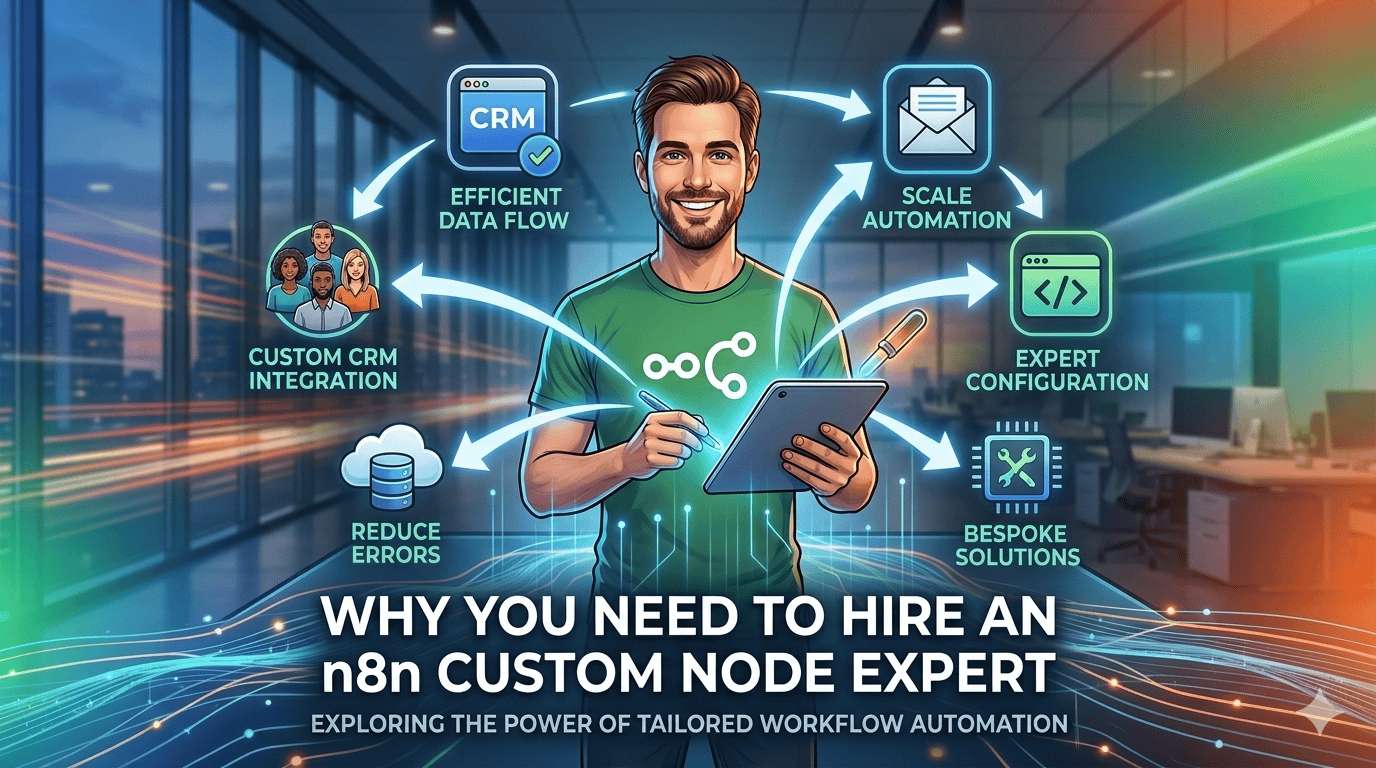
Why You Need to Hire an n8n Custom Node Expert for Enterprise Workflow Automation

hire n8n custom node expert | building custom nodes in n8n

When engineering teams initially deploy n8n for workflow automation, they naturally default to using the native HTTP Request node and standard JavaScript **Code** blocks. This architectural setup is fantastic for rapid prototyping and validating basic webhooks.

However, as workflows evolve to handle massive relational datasets, complex SaaS webhooks, and intricate multi-step enterprise operations, this visual-first development style hits a wall. Workflows become messy, unmaintainable “spaghetti maps,” API keys get exposed inside standard JSON canvases, and systemic execution overhead starts crashing your self-hosted instance.

To scale operations safely and systematically, you need to transition away from generic canvas steps. This is the precise point where you must hire an n8n custom node expert to abstract your business logic away into modular, secure, and production-grade software extensions.


The Scaling Core Issue: Why Generic HTTP Nodes Fail at Enterprise Scale

Relying exclusively on native visual canvas wrappers to bridge proprietary business logic introduces massive long-term technical debt. While a standard endpoint call appears straightforward on paper, real-world deployment requires engineering resilience against real-world constraints.

If your production environments depend on dozens of sequential standard HTTP steps, your integration pipeline is vulnerable to specific operational risks:

By shifting focus toward **building custom nodes in n8n**, these architectural limitations disappear. Proprietary integrations are packaged cleanly into standalone TypeScript modules, transforming your integration layer from a collection of fragile UI patches into an enterprise-ready automation ecosystem.


What Is a Custom n8n Node and How Does It Transform Architecture?

A custom n8n node is a compiled software extension that plugs natively into the core n8n-nodes-base system architecture. Instead of assembling raw REST configurations visually, developers build specialized modules using TypeScript to define properties, UI inputs, data behaviors, and authentication configurations.

This approach moves integration complexities off your visual canvas and embeds them safely inside your codebase. The result is a clean, single node interface where users simply pick an action from a dropdown menu and populate structured fields, while your compiled backend code handles authorization, pagination, and error routing securely behind the scenes.


Declarative vs. Programmatic Nodes: Choosing the Right Development Blueprint

When architecting a custom n8n integration, an expert select from two distinct core implementation styles based on target API complexity:

Development Approach Underlying Technical Mechanics Ideal Architectural Use Case
Declarative Style Built using structured JSON-style routing objects. The node defines layout parameters and targets directly, relying on n8n’s native engine to execute the requests. Standard REST APIs with predictable CRUD models, simple query inputs, and uniform JSON responses.
Programmatic Style Built using complete TypeScript code execution methods. Offers absolute programmatic control over request lifecycles, execution buffers, and streams. Complex APIs requiring dynamic encryption headers, binary stream handling, or multi-stage custom pagination systems.

Choosing the incorrect engineering pattern early on leads to structural limits down the line. A seasoned developer knows exactly how to balance these methodologies—often wrapping declarative properties around programmatic helpers to build robust, maintainable components.


Three Critical Operational Milestones That Demand a Custom Node Solution

If your automation pipelines match any of the following technical indicators, patching existing flows with generic steps will no longer cut it:

1. Managing Multi-Stage Custom Pagination Cycles

Many legacy enterprise platforms and niche SaaS systems do not use standard Link headers or offset parameters for pagination. Instead, they require developers to extract a specific cursor token from the bottom of a response payload, pass it into a temporary cryptographic validation step, and inject it as a modified header attribute in the subsequent request loop. Building this pattern out using visual canvas loops creates messy, hard-to-track workflows. A custom node handles this entire pagination lifecycle programmatically in a compiled background thread, outputting a clean, unified array of items to the next step.

2. Centralized Enterprise Security & OAuth2 Lifecycles

Exposing raw API keys, client secrets, and bearer tokens across various canvas steps leaves your platform highly vulnerable to security leaks. Custom nodes separate authentication entirely by defining dedicated ICredentialType interfaces. This architecture routes all authentication mechanics securely through n8n’s encrypted database backend. Sensitive refresh loops, signature generation, and encryption routines happen behind the scenes, ensuring credentials are never exposed within the execution log canvas.

3. Complex Binary Data and Payload Transformations

Processing bulky file conversions, cleaning up messy nested arrays, or converting XML payloads into highly structured JSON formats inside standard browser canvas containers can quickly bottleneck system performance. Shifting this execution logic directly into a dedicated custom backend node lets you manipulate binary buffers using native Node.js streams. This drastically reduces server memory overhead and ensures smooth data processing across your entire infrastructure.


The Deployment Pipeline: Integrating Custom Nodes Securely into Your Infrastructure

Once a custom node is developed, it must be carefully packaged and integrated into your active runtime environments. A professional development deployment workflow follows strict infrastructure practices:

Operational Architecture Insight: Managing custom extensions through version-controlled npm modules ensures smooth, reliable instance restarts across distributed server setups, keeping your automation infrastructure fully synchronized.


Why Work With Me to Scale Your Automation Architecture?

I build clean, optimized, enterprise-grade automation infrastructures, specializing in moving companies away from brittle visual workarounds and transitioning them into stable, production-grade systems. My core development expertise includes:

I focus on building clean, high-performance code, ensuring your business integrations scale smoothly without adding technical debt or inflating maintenance costs.


Frequently Asked Questions

Q: Why should I use a custom n8n node instead of the HTTP Request node?

While the HTTP Request node is great for fast prototyping, it exposes sensitive endpoint schemas, relies on manual error handling, causes workflow clutter, and struggles with complex multi-step pagination or dynamic token refreshes. A native custom node encapsulates all API properties, authorization states, and data schemas cleanly into a reusable UI component.

Q: Can custom nodes handle complex OAuth2 authentication?

Yes. Custom node credentials inside n8n leverage native credentials definitions. This natively manages OAuth2 authorization flows, token lifetime cycles, and automatic token refresh protocols without exposing raw credentials inside the execution JSON canvas.

Q: What language are n8n custom nodes built in?

They are written in TypeScript or JavaScript. They leverage the n8n-workflow framework and are distributed via standard npm packages, making them fully compatible with self-hosted Docker instances or native n8n Cloud environments.

Q: How does a custom node reduce n8n server resource usage?

By shifting heavy loop arrays, JSON payload transformation logic, and deep data mapping out of Code blocks and HTTP loops directly into compiled node source files, you drastically reduce execution execution overhead and prevent workflow memory leaks.


Accelerate Your Automation Pipeline Today

Stop fighting fragile workflow paths and complex visual canvas maps. Let’s build a clean, secure, and production-ready custom module tailored specifically to your operational demands.

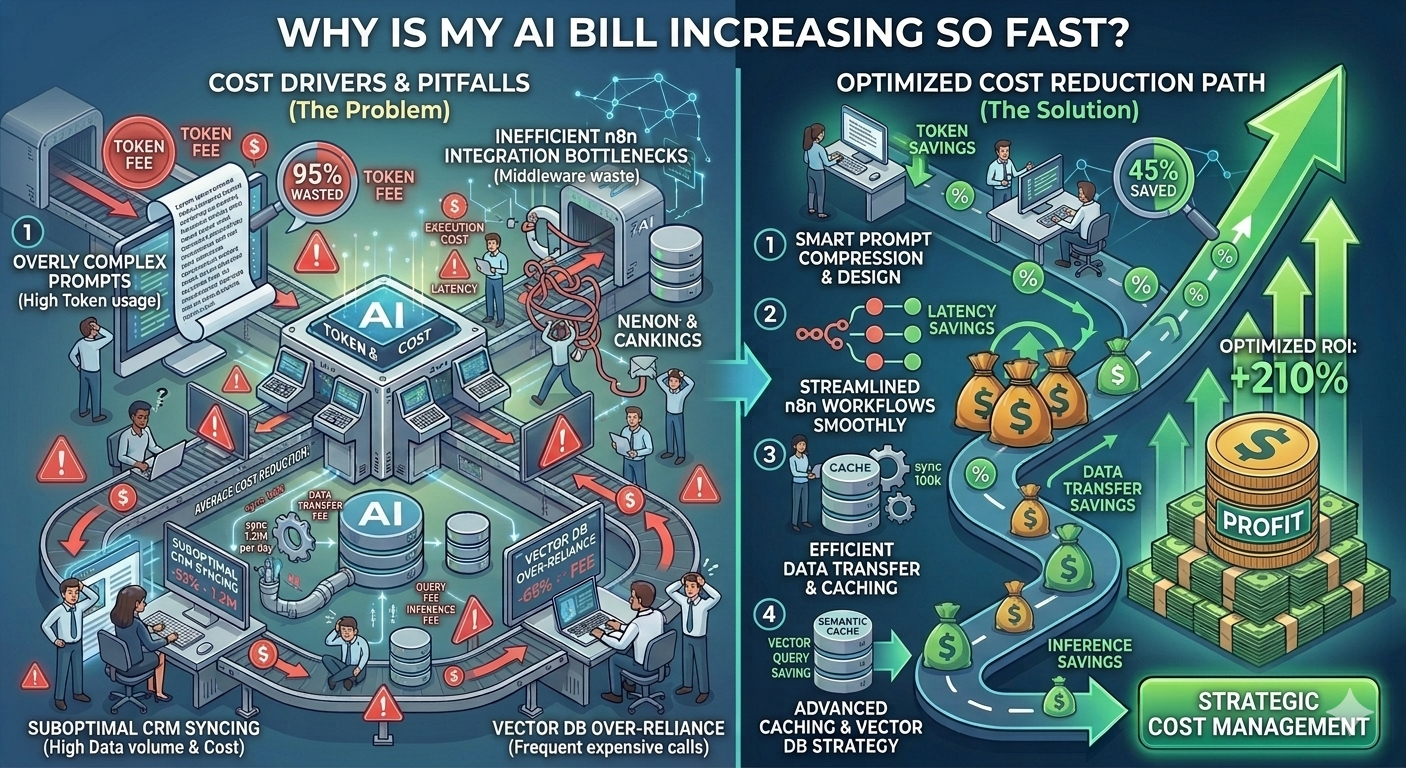
Is It Time to Re-Architect Your AI Middleware? 3 Warning Signs of Inefficient Dev Work

Auditing custom SaaS AI, enterprise AI workflow optimization

Most companies don’t realize their AI systems are inefficient until the bill becomes impossible to ignore.

By that point, the problem is no longer about “optimizing prompts” — it becomes a structural issue in how the entire middleware is designed.

This is where auditing custom SaaS AI systems becomes critical, especially when early architectural mistakes start scaling into enterprise-level cost leakage.


The Real Problem: AI Cost Issues Are Usually Architectural, Not Operational

If your AI system is expensive, it’s rarely because of the model itself.

It’s because your workflow design is forcing unnecessary repeated computation.

This is a key blind spot in enterprise AI workflow optimization — and it often indicates that the system has outgrown the original developer’s architectural approach.


Warning Sign #1: Your AI Bill Scales Linearly With User Growth

In a well-optimized AI system, costs should not grow one-to-one with users.

Instead, intelligent systems introduce reuse layers such as:

If your system is not doing this, every new user equals a new full LLM cost cycle.

That means:

This is one of the clearest indicators that your middleware is not optimized for AI FinOps principles.


Warning Sign #2: Simple Tasks Take More Than 10 Seconds

If your system takes 10+ seconds to process basic operations like:

then something deeper is wrong.

In modern architectures, these tasks should be near-instant unless an LLM call is unavoidable.

Common causes include:

This is where poor enterprise AI workflow optimization becomes a performance bottleneck — not just a cost issue.


Warning Sign #3: Repeated Identical Prompts in Logs

This is the most expensive and most ignored issue.

If you inspect your logs and see:

appearing thousands of times, your system is effectively:

paying full price for the same intelligence repeatedly

This usually happens when there is:

At scale, this becomes one of the biggest hidden costs in AI-powered SaaS platforms.


The Hidden Root Cause: Lack of AI FinOps Thinking

Most development teams build AI systems like traditional software systems.

But LLM-based systems require a different mindset:

If your architecture does not account for this, costs will scale uncontrollably.

This is where AI FinOps becomes essential — not optional.


What a Properly Optimized AI Middleware Should Look Like

A cost-efficient system typically includes:

This ensures that the system only calls the LLM when necessary — not by default.


How Enterprises Accidentally Waste Thousands Monthly

Most AI cost leaks come from a simple pattern:

When multiplied across:

The waste becomes massive — often without anyone noticing until invoices arrive.


When You Should Seriously Consider Re-Architecting

You should evaluate a full redesign if:

At that point, optimization is no longer enough — architecture redesign becomes necessary.


Why Work With Me?

I specialize in auditing custom SaaS AI systems and rebuilding them for cost efficiency and scalability through:

The goal is to stop waste at the architectural level — not just the prompt level.


Frequently Asked Questions (FAQ)

Q: Why is my AI bill increasing so fast?
Because your system likely repeats LLM calls without caching or deduplication as usage scales.

Q: What is AI FinOps?
It is the practice of optimizing financial efficiency in AI systems by reducing unnecessary model usage and token waste.

Q: How do I know if my middleware is inefficient?
If costs scale linearly, tasks are slow, or prompts are repeated frequently in logs, your system likely needs re-architecture.

Q: Can prompt optimization solve this problem?
Only partially. Most cost issues are architectural, not prompt-level.

Q: What is enterprise AI workflow optimization?
It is the process of redesigning AI systems for efficiency, reuse, caching, and minimal LLM dependency.


Get a Free AI Middleware Audit Checklist

To help identify inefficiencies in your system, I offer a free AI Middleware Audit Checklist that highlights:

📩 Request your audit checklist on Upwork

🎯 Get enterprise AI optimization consulting on Fiverr


Stop Paying for the Same Answer: Implementing Semantic Caching in AI Middleware

How to cache LLM responses, semantic cache for business automation, optimize repetitive AI tasks

Most AI systems are designed to be “smart.”

But very few are designed to be cost-efficient.

That’s why businesses running CRM automations, support bots, and internal AI workflows often end up paying for the same answer hundreds or thousands of times.

The fix is not more prompts.

The fix is memory — specifically, a semantic cache layer inside your AI middleware.


The Core Problem: AI Systems Keep Repeating Themselves

In most enterprise setups, every request is treated as brand new.

Even when the question is nearly identical, the system still calls an LLM like:

This means:

You are paying full price every time — even when the answer already exists conceptually.


What “Semantic Caching” Actually Means

A semantic cache is a memory layer that stores meaning, not just exact text.

Instead of checking:

“Has this exact question been asked before?”

It checks:

“Has something similar in meaning already been answered?”

This is the key difference that enables semantic cache for business automation.


Why Traditional Caching Fails in AI Workflows

Normal caching systems (like Redis key-value cache) only match exact strings.

So these are treated as different requests:

Even though they mean the same thing.

Result:


How Semantic Caching Works (Simple Architecture)

A proper AI middleware system introduces a semantic layer before the LLM call:


Step 1: Convert Input Into Embeddings

Every incoming request is converted into a vector representation (embedding) that captures meaning.


Step 2: Compare With Cached Memory

The system compares the new embedding with previously stored embeddings using similarity scoring.

If similarity is above a threshold (e.g. 0.85–0.95), it is considered “same meaning.”


Step 3: Return Cached Response Instantly

If a match is found:

This is where cost drops to effectively $0.00 per repeated query.


Step 4: Store New Unique Responses

If no match is found:


Real Business Example: CRM Support Automation

Let’s take a support system inside a CRM.

Customers repeatedly ask:

Without semantic caching:

With semantic caching:

This is one of the most effective ways to optimize repetitive AI tasks.


Inventory & Data Pipelines: The Silent Cost Killer

Another major cost area is structured business data.

For example:

These often repeat with minimal change.

Yet without semantic caching, the system still processes them as full AI tasks every time.


Semantic Cache vs Traditional Cache

Feature Traditional Cache Semantic Cache
Matching method Exact match Meaning-based similarity
LLM calls Frequent Heavily reduced
Cost efficiency Low High
Flexibility Rigid Context-aware

Why This Matters for Enterprise AI Systems

In enterprise automation, even a 20–40% reduction in LLM calls can translate into significant cost savings.

Semantic caching becomes essential in:


Common Mistake: Caching Only Final Outputs

Most teams try to optimize by caching only final responses.

But the real optimization happens earlier:

This is what actually eliminates redundant token usage at scale.


The Ideal AI Middleware Flow

A cost-optimized architecture looks like this:

This structure ensures the LLM is only used when necessary.


Business Impact of Semantic Caching

Companies implementing this approach typically achieve:

The biggest gain is not speed — it is cost elimination on repeated intelligence.


Why Work With Me?

I design and optimize AI middleware systems focused on:

The goal is simple: make AI systems reusable, not repetitive.


Frequently Asked Questions (FAQ)

Q: What is semantic caching in AI systems?
It is a caching method that stores and retrieves responses based on meaning similarity instead of exact text matching.

Q: How does semantic caching reduce AI costs?
It prevents unnecessary LLM calls by reusing previous responses for similar queries.

Q: Can semantic caching work in CRM systems?
Yes. It is especially effective in CRM support, lead handling, and repetitive query workflows.

Q: What is the difference between normal caching and semantic caching?
Normal caching matches exact inputs, while semantic caching understands meaning and context.

Q: Does semantic caching improve speed?
Yes. Cached responses are returned instantly without calling the LLM.


Get the Free Middleware AI Cost Leak Audit Checklist

To help identify where your system is wasting money on repeated AI calls, I’ve created a Middleware AI Cost Leak Audit Checklist.

It helps you detect:

📩 Request the audit checklist on Upwork

🎯 Get AI optimization consulting on Fiverr


The Automated Money Pit: Why Your Custom CRM/n8n AI Integration Costs 10x More Than It Should

Reduce n8n AI token usage, CRM middleware cost optimization, expensive AI workflows

If your OpenAI or Anthropic bill suddenly feels out of control, the problem is probably not “AI being expensive.”

The real issue is much more specific:

Your middleware is re-processing the same intelligence over and over again.

This is the hidden cost trap behind many expensive AI workflows built on tools like
:contentReference[oaicite:0]{index=0}, custom CRMs, and API-based AI pipelines.


The Real Problem: AI Isn’t Expensive — Bad Workflow Design Is

Most business owners assume AI costs are driven by usage volume.

In reality, the biggest cost driver is:

Every time your system re-sends full context to an LLM, you are paying for the same intelligence twice — sometimes hundreds of times per day.


How Middleware Becomes a Silent Cost Leak

Modern CRM automation pipelines often look like this:

But here is the hidden inefficiency:

Each time the workflow runs, the system often:

This creates a continuous billing loop inside your AI provider account.


The Most Expensive Pattern: “Full Context Rebuild Every Time”

One of the biggest causes of token waste in CRM middleware cost optimization failures is this pattern:

Every workflow run reconstructs the entire conversation history instead of referencing a stored result.

For example:

You are not paying for intelligence.

You are paying for repetition.


Where n8n and Similar Tools Quietly Waste Money

Platforms like
:contentReference[oaicite:1]{index=1} are powerful — but they don’t enforce cost optimization by default.

Common inefficiencies include:

This is why teams trying to reduce n8n AI token usage often see minimal improvement without architectural changes.


The Core Issue: No Memory Layer Between AI Calls

Most expensive AI workflows fail because they behave statelessly.

That means:

So even if the same lead was processed 10 minutes ago, the system behaves like it’s seeing it for the first time.


What Optimized AI Middleware Looks Like

A cost-efficient architecture introduces a memory-aware layer:

This simple shift alone can reduce AI costs significantly in high-volume systems.


The Hidden Multiplier: Support Tickets and CRM Loops

The biggest cost explosions usually happen in:

Why?

Because these are repetitive, high-frequency workflows that often reprocess identical or near-identical data.

Without optimization, every interaction triggers a full LLM call cycle.


How Businesses Accidentally 10x Their AI Bills

Here is the typical pattern:

At that point, costs don’t grow linearly — they explode exponentially.


How to Actually Reduce AI Token Usage (Without Breaking Automation)

To fix expensive AI workflows, you need structural changes:

This is where real CRM middleware optimization happens.


The Real Goal: Stop Paying for the Same Intelligence Twice

AI should answer new questions — not re-solve old ones.

If your system is repeatedly analyzing the same data, you are not scaling intelligence.

You are scaling inefficiency.


Why Work With Me?

I specialize in designing cost-optimized AI middleware systems focused on:

The goal is simple: make AI systems smarter and significantly cheaper to run at scale.


Frequently Asked Questions (FAQ)

Q: Why are my AI automation costs so high?
Because your workflows likely reprocess the same data repeatedly without caching or memory reuse.

Q: How can I reduce n8n AI token usage?
By adding caching layers, avoiding redundant prompts, and storing structured AI outputs for reuse.

Q: What causes expensive AI workflows?
Repeated context injection, stateless design, and unnecessary LLM calls in automation pipelines.

Q: Is n8n inefficient for AI workflows?
Not inherently — but it requires careful architecture to avoid redundant AI execution.

Q: What is CRM middleware cost optimization?
It is the process of redesigning automation layers to reduce unnecessary AI calls and infrastructure costs.


Get the Free Middleware AI Cost Leak Audit Checklist

If you want to identify where your system is silently wasting money, I’ve created a Middleware AI Cost Leak Audit Checklist.

It helps you detect:

📩 Request the audit checklist on Upwork

🎯 Get AI workflow optimization support on Fiverr


Beyond If/Then Rules: How Multi-Agent AI Environments Are Transforming Enterprise Process Automation

AI automation in ERP, intelligent process automation enterprise, autonomous CRM workflows

Most enterprise automation today is still built on a simple idea:

“If this happens, then trigger that action.”

It works — but only up to a point.

In 2026, enterprises are discovering a much deeper shift: moving from rule-based workflows to autonomous AI systems that can understand, decide, and execute complex business processes inside ERP and CRM environments.

This is where AI automation in ERP stops being “workflow automation” and becomes something closer to digital operations intelligence.


The Limitation of Traditional Automation (Why If/Then Is Not Enough)

Classic automation tools in ERP and CRM systems are built around predefined triggers:

This approach is predictable — but rigid.

It fails when real-world data becomes:

And in enterprise operations, most critical data is exactly that.


The Shift: From Automation to Autonomous AI Agents

Modern enterprises are now moving toward intelligent process automation enterprise systems powered by multi-agent AI environments.

Instead of single-step rules, AI agents can:

This is not automation reacting to events — it is systems making operational decisions.


What a Multi-Agent AI ERP Actually Looks Like

In an AI-powered ERP architecture, multiple specialized agents work together:

Each agent operates independently but collaborates within a controlled workflow.

This is the foundation of next-generation AI automation in ERP.


Real Example: Vendor Invoice Processing Without Human Touch

Let’s take a real enterprise scenario.

A vendor sends an unstructured PDF invoice via email.

In a traditional ERP system:

Now compare this with an AI-native ERP system:


Step 1: Intelligent Ingestion

The system automatically detects incoming vendor emails and extracts attached PDFs.


Step 2: Advanced Data Extraction

An AI extraction engine reads the invoice like a human:

Even if formats differ across vendors, the system adapts dynamically.


Step 3: Contract Intelligence Check

The AI compares invoice data against stored contract rules:

This is where autonomous CRM workflows begin extending into finance operations.


Step 4: Anomaly Detection

If something looks incorrect, the system:

If everything is valid, it proceeds without human involvement.


Step 5: Auto Posting to Financial Ledger

Clean, validated data is pushed directly into the ERP ledger system.

No manual entry.

No spreadsheet reconciliation.

No delay cycles.


Why This Is Different From Traditional Automation

Traditional automation:

AI multi-agent systems:

This is the difference between automation and intelligence.


Enterprise Impact of AI Automation in ERP

Organizations implementing AI-driven ERP workflows typically see:

The biggest shift is not cost reduction — it is operational autonomy.


Why Multi-Agent Systems Are Replacing Single Workflow Engines

Legacy automation tools struggle with complexity because they assume one system controls all logic.

But enterprise reality is distributed.

Multi-agent AI systems solve this by:

This allows ERP systems to behave more like adaptive ecosystems than rigid software.


Where This Is Already Being Used

AI-powered ERP automation is being adopted in:

Especially in enterprises dealing with high-volume document workflows.


The Strategic Advantage: Removing Human Bottlenecks

In traditional systems, humans are the processing layer between systems.

In AI-native systems, humans become exception handlers, not data processors.

This fundamentally changes:


Why Work With Me?

I design and build AI-powered enterprise systems focused on:

The goal is to transform static business systems into autonomous operational environments.


Frequently Asked Questions (FAQ)

Q: What is AI automation in ERP?
It is the use of artificial intelligence to automate complex enterprise workflows like finance, procurement, and CRM operations beyond simple rule-based triggers.

Q: How is multi-agent AI different from traditional automation?
Traditional automation uses fixed rules, while multi-agent systems use specialized AI components that interpret, decide, and execute tasks dynamically.

Q: Can AI process unstructured documents like PDFs?
Yes. Modern AI systems can extract structured data from invoices, contracts, and vendor documents automatically.

Q: What are autonomous CRM workflows?
These are CRM processes where AI agents manage lead scoring, follow-ups, segmentation, and engagement without manual intervention.

Q: Is AI ERP automation replacing humans?
No. It reduces repetitive tasks and allows humans to focus on exceptions, strategy, and decision-making.


Get the AI Readiness Assessment Matrix

To help enterprises evaluate their automation maturity, I’ve created a private AI Readiness Assessment Matrix.

It helps you identify:

📩 Request the AI Readiness Assessment on Upwork

🎯 Get implementation support on Fiverr


One Codebase, Two App Stores: How Flutter & React Native Saved Businesses 50% in Dev Costs

Hybrid mobile app development, Flutter vs React Native for business

Most website owners assume that launching a mobile app means doubling their development cost — one team for iOS, another for Android, two separate timelines, and two ongoing maintenance pipelines.

But in 2026, that assumption is outdated.

Modern hybrid mobile app development has changed the economics completely. With frameworks like
:contentReference[oaicite:0]{index=0} and
:contentReference[oaicite:1]{index=1}, businesses now build one codebase and deploy to both App Store and Play Store simultaneously.

This article explains how this works in simple terms — without the technical confusion — and why companies are cutting up to 50% of their mobile development costs.


The Problem: Why Native App Development Became Expensive

Traditional mobile development required two separate codebases:

This created several business challenges:

For startups and growing businesses, this often meant choosing only one platform — or delaying mobile expansion entirely.


The Shift: What “Hybrid Mobile App Development” Actually Means

Hybrid development doesn’t mean low-quality or “web inside app” anymore.

Modern frameworks like Flutter and React Native compile into near-native performance applications.

Instead of writing two apps, developers write:

“One shared codebase that powers both iOS and Android apps.”

This is the foundation of modern hybrid mobile app development.


How Flutter Works (Simple Explanation)

:contentReference[oaicite:2]{index=2} uses a unique approach: it doesn’t rely on native UI components.

Instead, it:

This results in:

For businesses that care about branding and UI control, Flutter is often a strong choice.


How React Native Works (Simple Explanation)

:contentReference[oaicite:3]{index=3} takes a different approach.

Instead of drawing everything from scratch, it:

This makes it ideal for:

React Native focuses on leveraging existing ecosystems rather than reinventing UI rendering.


Flutter vs React Native (Business Perspective, Not Just Technical)

Factor Flutter React Native
Performance Near-native, highly consistent Good, depends on native bridges
UI Control Full design control Depends on native components
Development Speed Fast after setup Very fast for JS teams
Learning Curve Dart language required JavaScript-based
Best For Custom UI apps, startups, scalable products MVPs, web-to-app conversions

The Real Business Benefit: 50% Cost Reduction

The biggest advantage is not just technology — it’s economics.

Hybrid development reduces cost by eliminating duplication:

This typically leads to:


Why Businesses Are Moving Away From Native Apps

Modern businesses are shifting because they want:

Hybrid frameworks allow companies to iterate like web apps — but deploy like mobile apps.


Common Misconception: “Hybrid Means Lower Quality”

This was true years ago — but not anymore.

Modern Flutter and React Native apps can support:

For most business use cases, users cannot tell the difference between hybrid and native apps.


Where Hybrid Apps Work Best

Hybrid mobile app development is especially effective for:


The Technical Reality: One Backend, Multiple Platforms

Modern systems typically use a single backend powering multiple clients:

This architecture allows:

All synchronized in real-time from a single source of truth.


The Future: App Ecosystems Instead of Single Apps

Businesses are no longer just building apps — they are building ecosystems.

A modern digital product often includes:

Hybrid development makes this ecosystem faster and more affordable to build.


Why Work With Me?

I specialize in building scalable cross-platform systems using:

My focus is not just coding apps — but designing systems that scale across platforms efficiently and cost-effectively.


Frequently Asked Questions (FAQ)

Q: What is hybrid mobile app development?
It is a development approach where a single codebase is used to build apps for both iOS and Android platforms.

Q: Is Flutter better than React Native?
Flutter offers better UI control and performance consistency, while React Native is better for JavaScript-based teams and rapid MVPs.

Q: Can hybrid apps perform like native apps?
Yes. Modern Flutter and React Native apps deliver near-native performance for most business use cases.

Q: Is it cheaper to build hybrid apps?
Yes. Businesses typically save 30%–50% in development costs by using a shared codebase.

Q: Can existing websites be converted into Flutter or React Native apps?
Yes. APIs can connect existing web systems to mobile apps without rebuilding everything from scratch.


Ready to Build Your Cross-Platform Mobile App?

If you are planning to:

📩 Book a consultation on Upwork

🎯 Contact me on Fiverr for hybrid mobile app development